
← Back to Library
Lesson PlanFreeEN

Create a Name Label

This lesson will introduce some basic knowledge of the CO2 laser to students. Then, they will start to observe and explore the xTool 55w laser machine-P2, like how to start the machine, put the slats and plywood in the right place. Students will learn how to launch the official software XCS (xTool Creative Space), draw different shapes they like and set the processing parameter. After they get the wooden label, students can make their own name labels by writing their names on it, and adding decorations. When completed, students could add their name tags to their bags or other personal items. Students will complete their first laser project.
Gr. 6–12
Create a Name Label

Lesson

Overview

Description

This lesson will introduce some basic knowledge of the CO2 laser to students. Then, they will start to observe and explore the xTool 55w laser machine-P2, like how to start the machine, put the slats and plywood in the right place. Students will learn how to launch the official software XCS (xTool Creative Space), draw different shapes they like and set the processing parameter. After they get the wooden label, students can make their own name labels by writing their names on it, and adding decorations. When completed, students could add their name tags to their bags or other personal items. Students will complete their first laser project.

Objectives

By the end of class, students will be able to: 

  • Know the brief structure of P2

  • Learn how to make simple drawings in XCS

  • Put the slats and material in the right place and start laser cut

  • Use basic shapes in XCS to make their own name label

Agenda

Section 1 - Introduction (5 minutes)

  • Basic knowledge of CO2 laser machine

Section 2 - Explore (10 minutes)

  • Explore how to start P2 and put the slats in position

  • Explore how to launch XCS and drag geometric figure

Section 3 - Design & Create (15 minutes)

  • Students design their name tags, put the plywood in P2 and set the processing parameters

  • Cut the wooden tag to the proper size by laser

  • Students will use the art materials to decorate their wooden tags

Section 4 - Presentation (10 minutes)

  • Students display their wooden tag and share their creation

Section 5 - Evaluate (5 minutes)

  • Review the lesson objectives

  • Key vocabulary used 

  • Leave questions for students to think how to combine two shapes into one

Introduction

Introduction

Before watching this video (in the first 4 minutes), teachers can invite students to discuss a few questions such as 'What is a CO2 laser? What can a laser do? Why is the CO2 laser so strong?'

https://www.youtube.com/watch?v=t4BfQGhhbOQ

After watching this video, students can discuss their opinions again and guess what they are going to explore in today's lesson.

Explore

Explore

In this part, teachers will lead students to observe, explore and turn on the laser machine and official software. Help students to prepare for the following design and laser work. 

Step 1: Invite students to observe the whole CO2 laser machine, find the power switch, and power the machine.

Step 2: Open the gate, and look at the inside structure of P2. Guess what each part is used for.  Lead students to put the slats in the right place and discuss why we need the slats.

Step 3:Close the gate and launch the official software and connect the computer with P2 through USB or Wi-Fi. 

Step 4: Put a piece of basswood plywood in P2, refresh the camera button. Now students can see the plywood in P2 through their XCS.

Students need to confirm if they can see the inside of the machine through the software.

Design & Create

Design & Create

After setting the laser machine and material, students can start their design and laser work in this part. Students will try to make the first piece of their laser artwork. 

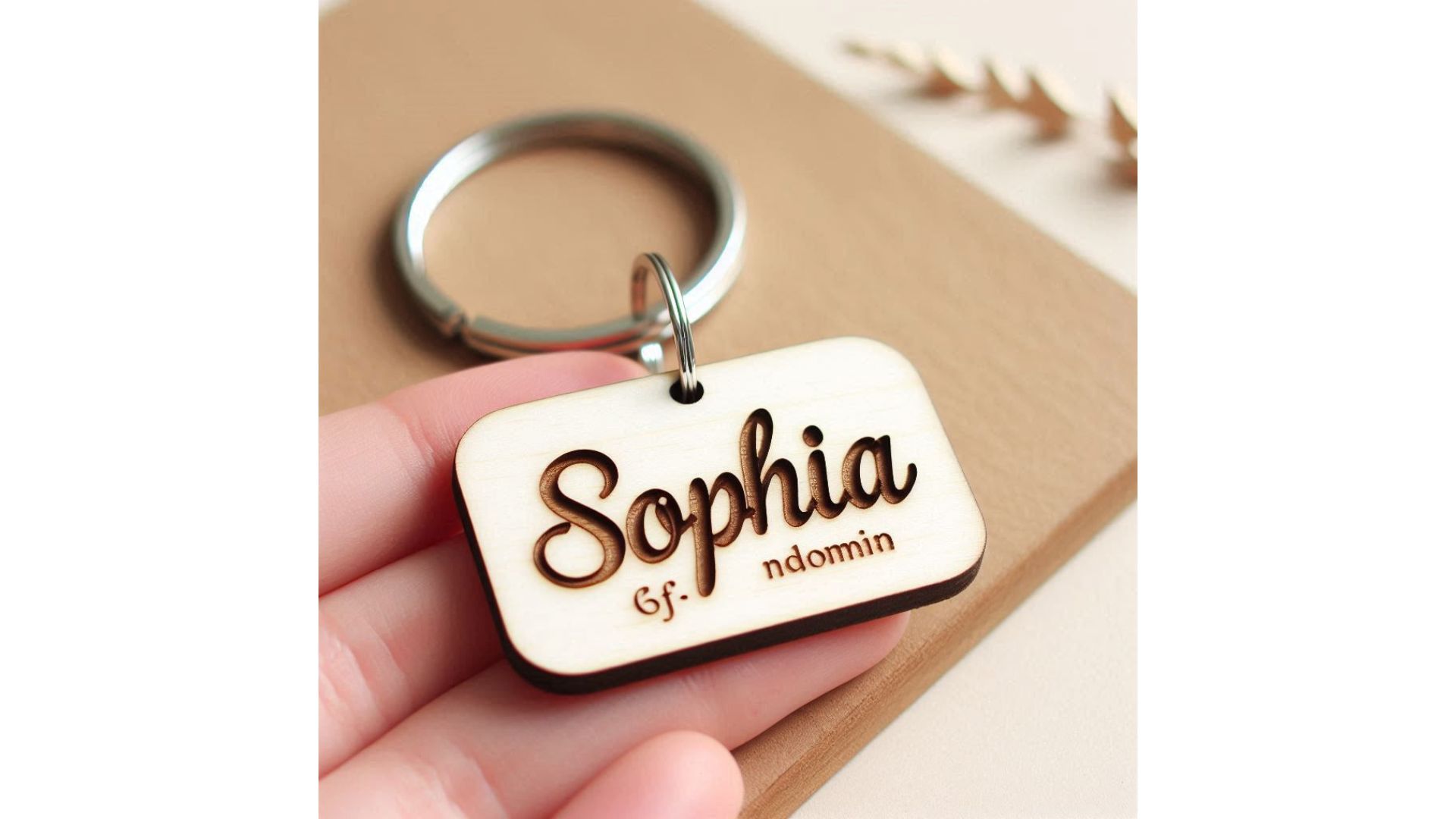
Step 1: Teachers show the wooden name tag sample to students, and inspire students to wonder how they could make their own name tags.

Step 2: Try to add a simple geometric figure in XCS and adjust the size through changing the number on the top bar.

Step 3: Click the blank space in XCS and wake the 'Material selection', find the right material. In this lesson, we suggest students use 3mm Basswood Plywood.

Step 4:After selecting the right material, click the shape again. Students can see the process parameter on the right. Choose the proper process way like 'Score, Engrave or Cut'.  

Tip: Don't forget to add a little circle on the top of your shape, otherwise you cannot hang it with ropes.

Step 5: Teachers will invite students to cut their material with P2. 

Attention: Maybe have a few students cut their pieces during the class and the rest can finish their work after the class (or during the next class).

Step 6: Provide a mix of various art materials for students to make their name tags beautiful and special.

Presentation

Presentation

In this session, teachers can invite students to show their wooden name tag and share their ideas. Ask students questions such as: 'Why did you choose this shape? Which color is your favourite? Where will you hang it?' 

More importantly, inspire students to discuss their feelings and thoughts of P2, XCS and laser work. Such as 'Do you like laser work? What do you think about this machine and software? In the future lessons, what could you do with this machine and these materials?'

Wrap Up

Wrap Up

Now let's review some key points in this lesson and give a hint to students for lesson 2. 

  • What is the name of those long black triangle strips?

  • Which button can wake the camera in XCS and help us to see the inside of P2?

  • Where can you drag the basic shape and change their size?

  • How can you choose the proper material and select the process method in XCS?

  • How could we combine two basic shapes into one? 

Educational Standards

Ontario - Grade 7-12

Grade 7 - (Science and Technology) A1.3 use an engineering design process and associated skills to design, build and test devices, models, structures, and/or systems

Grade 7 - (Science and Technology) D1.4 use a variety of materials, tools, techniques, and technologies to determine solutions to increasingly complex design challenges

Grade 8 - (Science and Technology) A1.3 use an engineering design process and associated skills to design, build and test devices, models, structures, and/or systems

Grade 8 - (Science and Technology) D1.4 use a variety of materials, tools, techniques, and technologies to determine solutions to increasingly complex design challenges

Grade 9 (AVI10) - A3.1 explore and experiment with a variety of media/materials and traditional and/or emerging technologies, tools, and techniques, and apply them to produce art works

Grade 9 (TIJ10) B2.1 use appropriate tools, materials, and equipment

Grade 9 (AVI10) A1.3 document their use of the creative process in a portfolio

Grade 9 (TIJ10) B2.4 demonstrate the ability to use, maintain, and store tools and equipment properly and with care

Grade 10 (ICD20) - A1.2 use a variety of tools and processes to plan, design, and share algorithms and computational artifacts

Grade 10 (TMJ20) B2.3 use correct procedures to prepare materials for the manufacture of a product

Grade 11 (TMJ3M) B3.4 use a computer to operate and control a manufacturing system

Grade 12 (TMJ4M) B3.2 use computers to operate and control systems in the assembly or fabrication of a product

British Columbia - Grade 7-12

Grade 7 (Mathematics) 

Model

  • Acting it out, using concrete materials (e.g., manipulatives), drawing pictures or diagrams, building, programming

Grade 7 (Applied Design, Skills and Technologies) 

Defining 

  • Choose a design opportunity

  • Identify key features or potential users and their requirements

Computers and Communications Devices

  • Strategies for identifying and troubleshooting simple hardware and software problems

  • Function of input and output devices, including 3D printing and adaptive technologies for those with special needs

Applied Technologies

  • Select, and as needed learn about, appropriate tools and technologies to extend their capability to complete a task

Grade 8 (Applied Design, Skills and Technologies) 

Applied Technologies

  • Select, and as needed learn about, appropriate tools and technologies to extend their capability to complete a task

Making

  • Identify and use appropriate tools, technologies, and materials for production

Grade 9 (Applied Design, Skills and Technologies) 

Applied Technologies

  • Choose, adapt, and if necessary learn about appropriate tools and technologies to use for tasks

Applied Skills

  • Demonstrate an awareness of precautionary and emergency safety procedures in both physical and digital environments

  • Identify the skills and skill levels needed, individually or as a group, in relation to specific projects, and develop and refine them as needed

Making

  • Use materials in ways that minimize waste

Grade 10 (Technology Explorations)

Ideating

  • Take creative risks in generating ideas and add to others’ ideas in ways that enhance them

  • Identify and use sources of inspiration

Making

  • Use materials in ways that minimize waste

Grade 11 (Electronics)

Applied Technologies

  • Explore existing, new, and emerging tools, technologies, and systems to evaluate suitability for design interest

Grade 12 (Industrial Coding and Design)

Defining

  • Establish a point of view for a chosen design opportunity

Alberta - Grade 7-12

Grades 7, 8, 9 (ICT) C1 3.5 analyze and synthesize information to create a product

Grades 7, 8, 9 (ICT) F1 3.4 demonstrate an understanding that digital technology follows a logical order of operations

Grades 10 - 12 (ICT) F2 4.4 evaluate possible potential for emerging technologies

Grades 10 - 12 (ICT) P4 4.3 use integrated software effectively and efficiently to reproduce work that incorporates data, graphics and text

Saskatchewan - Grade 7-9

Grade 7 Mathematics

SS7.3 Demonstrate an understanding of 2-D relationships involving lines and angles.

(j) Use geometric constructions to create a design or picture, and identify the constructions present in the design

Grade 8 Arts Education

CP8.12 (e) take risks by working with innovative ideas, unfamiliar styles, or media

Grade 9 Arts Education

CP9.12 Solve visual art problems in new and unfamiliar ways.

(a) CP9.12 Take risks by working in unfamiliar ways (e.g., new ideas, techniques, or media)

Design Studies 10

DEST11 (f) Identify a variety of products that share a function but use a variety of aesthetic choices, such as colour, shape, size and surface texture.

DEST12 (b) Use virtual spaces to create prototypes and models of designs.

Manitoba - Grade 7-12

Grade 7 Science

7-0-9B Express interest in a broad scope of science and technology-related fields and issues.

Grade 8 Science

8-0-9b Express interest in a broad scope of science- and technology related fields and issues. (GLO B4)

Grade 10 Career Development

GLO H: Participate in lifelong learning supportive of life/work goals. SLOs 3.H.1–3.H.6

Grade 11 Career Development

GLO H: Participate in lifelong learning supportive of live/work goals. SLOs 3.H.1–3.H.3

Grade 12 Applied Mathematics

12E5.P.1

  • Explain why, in a given context, a certain degree of precision is required.

  • Explain why, in a given context, a certain degree of accuracy is required.

  • Explain, using examples, the difference between precision and accuracy.

Grade 12 Career Development

GLO H: Participate in lifelong learning supportive of live/work goals. SLOs 3.H.1–3.H.3

Nova Scotia - Grade 7-12

Grade 7, 8 Technology Education

Grade 7, 8 Learners will analyse how mechanical and electrical devices work

  • Question how mechanical and electrical devices can be used to solve problems (COM/CT)

  • Investigate how mechanical advantage is used in simple machines (COM/CT/TF)

  • Analyse the efficiency of control systems in a device (COM/CI/CT/TF)

Grade 7, 8 Learners will construct a solution to a design challenge 

  • Evaluate available materials to address a design challenge (COM/CI/CT)

Grade 7 Visual Arts

Grade 7 Learners will create purposeful and meaningful works of art 

  • Apply the elements of art and principles of design in works of art (COM/CI/TF)

  • Investigate how personal meaning is expressed in works of art (CZ/COM/PCD/CI/CT)

Creating, Making and Presenting

2.) create and/or present, collaboratively and independently expressive products in the arts for a range of audiences

Perceiving and Responding

7.) understand the role of technologies in creating and responding to expressive works

GCO 1: Students will be expected to explore, challenge, develop and express ideas using the skills, language, techniques and processes of the arts

(1.1) select and apply design principles and the elements of art to achieve compositions

Grade 9 Visual Arts

GCO 2: Students will be expected to create and/or present, collaboratively and independently expressive products in the arts for a range of audiences

Grade 9 Mathematics

Grade 9 SCO G03 Students will be expected to draw and interpret scale diagrams of 2-D shapes. [CN, R, T, V]

  • G03.02 Draw a diagram to scale that represents an enlargement or a reduction of a given 2-D shape.

SCO G04 Students will be expected to demonstrate an understanding of line and rotation symmetry.

  • G04.02 Complete a 2-D shape or design, given one half of the shape or design and a line of symmetry.

Grade 10 Visual Arts

CM 1.1 independently plan and realize artworks using knowledge of art and design elements and principles

Grade 11 Visual Arts

1. explore, challenge, develop, and express ideas, using the skills, language, techniques, and processes of the arts

Grade 11 Mathematics

GCO D: Students will demonstrate an understanding of and apply concepts and skills associated with measurement.

Grade 12 Visual Arts

1. Students will be expected to explore, challenge, develop, and express ideas, using the skills, language, techniques, and processes of the arts.

  • CM 1.1 assess and apply complex image development techniques

Prince Edward Island - Grade 7-9

Grades 7, 8, 9 Visual Arts

  • explore, challenge, develop, and express ideas, using skills, language, techniques, and processes of the arts

L1/2 S.1 demonstrate proper care of themselves, tools, materials, equipment, products, and workspace

Grade 7, 8, 9 Career and Technical Education

SCO A.1 apply general safety practices and policies.

SCO B.3 demonstrate construction and fabrication techniques accurately, and in the correct sequence to complete a given task or design challenge

  • B.3.5 assemble project components in a logical and efficient sequence

SCO C.1 demonstrate basic design and critical thinking strategies to solve technological problems

Grade 7 English Language Arts

GCO 3: Interact with sensitivity and respect, considering the situation, audience, and purpose.

Grade 8 English Language Arts

  • express ideas and points of view using effective communication.

Visual Arts 401A

OKS10.2 demonstrate and apply knowledge of the elements of art and design

Visual Arts 501A

OKS11.1 apply proper safety skills and knowledge to themselves, others, tools, equipment, products, and the workspace

Visual Arts 601A

OKS12.5  demonstrate an advancement in their development of technical skills and useof media

Visual Arts 621A

OKS12.4 work independently

OKS12.5 demonstrate an advancement in their development of technical skills and use of media

Applied Mathematics MAT801A

D1 select and use appropriate measuring devices involving metric measurement

Newfoundland and Labrador - Grade 7-9

Grade 7 English Language Arts

3. Students will be expected to interact with sensitivity and respect, considering the situation, audience, and purpose.

Grade 7 Science

112-3 explain how society’s needs can lead to developments in science and technology

Grade 8 Production Technology

5.0 identify methods used to achieve production processes.

Grade 8 English Language Arts

GCO 3: Students will be expected to interact with sensitivity and respect, considering the situation, audience, and purpose.

3.1 demonstrate active speaking and listening skills

3.2 express ideas and opinions in a manner that reflects sensitivity and shows respect to others

Grade 9 English Language Arts

GCO 1: Students will be expected to speak and listen to explore, extend, clarify, and reflect on their thoughts, ideas, feelings, and experiences.

1.2 ask questions calling for elaboration, clarification, or qualification

English 1201

GCO 1: Students will be expected to speak and listen to explore, extend, clarify, and reflect on their thoughts, ideas, feelings, and experiences.

  • 1.1 examine their own ideas when listening

GCO 2: Students will be expected to communicate information and ideas effectively and clearly, and to respond personally and critically.

2.1 use a range of strategies that contribute to effective informal communication

English 2201

GCO 1: Students will be expected to speak and listen to explore, extend, clarify, and reflect on their thoughts, ideas, feelings, and experiences.

1.0 assess their own ideas and points of view in response to others’ ideas and questions

New Brunswick - Grade 6-9, 11-12

Grades 6, 7, 8 Visual Arts 

Create works of art using identified media and corresponding techniques appropriate to their artistic development.

  • Technology - demonstrate an understanding of the elements of art and principles of design using the computer to generate images

  • Materials - use tools, materials and equipment safely

Grade 7 English Language Arts

Describe and contribute thoughts, feelings, and experiences and compare to those of their peers.

Give and respond to a variety of directions and instructions.

Grade 7 Mathematics

Perform geometric constructions.

Grade 8 English Language Arts

Use language of harmony and respect,self-monitoring and adjusting as appropriate.

Give and respond to a variety of directions and instructions.

Grade 9 Visual Arts

Synthesize the elements of art and the principles of design to develop skills, language, techniques, and processes.

  • Use materials and tools safely

Grade 11 English Language Arts

1. Students will be expected to speak and listen to explore, extend, clarify, and reflect on their thoughts, ideas, feelings, and experiences.

  • ask perceptive/probing questions to explore ideas and gain information

Grade 12 English Language Arts

1. Students will be expected to speak and listen to explore, extend, clarify, and reflect on their thoughts, ideas, feelings, and experiences.

Quebec - Elementary & Secondary

Mathematics, Science and Technology (Elementary)

  • Producing a drawing (solids, plane figures, frieze patterns and tessellations) using graphics software

Visual Arts (Elementary)

  • Putting together volumes (paper, cardboard and objects)


English Language Arts (Elementary)

The student follows a process in collaboration with peers that includes the following stages:

  • In collaboration with group members:

    • Seeking of feedback from peers

The student uses language to communicate information, experiences and point of view by:

  • Sharing of information with peers and teacher

  • Talking about responses and point of view with peers and teacher

  • Asking and answering questions from peers and teacher

Talking through new ideas and information

Developing of new vocabulary to express new ideas and to meet the demands of different social contexts

Science and Technology (Secondary)

Competency 2

Puts scientific or technological issues in context

Competency 3

Interprets or conveys mathematical messages

  • Has discussions based on mathematical messages

Visual Arts (Secondary)

Competency 1

Uses ideas to create a visual arts work

  • Explores various ways of conveying creative ideas through images

  • Chooses ideas and anticipates his/her creative project

Nunavut

Nunavut follows Alberta, Saskatchewan and Manitoba curriculum standards.

Yukon

Yukon follows British Columbia curriculum standards.

Northwest Territories

Northwest Territories follows British Columbia curriculum standards.