
Loading…
Loading…
In this lesson, students will explore 5 essential computer science lessons that not only help develop the ability to code, but also enhance problem-solving and creativity.
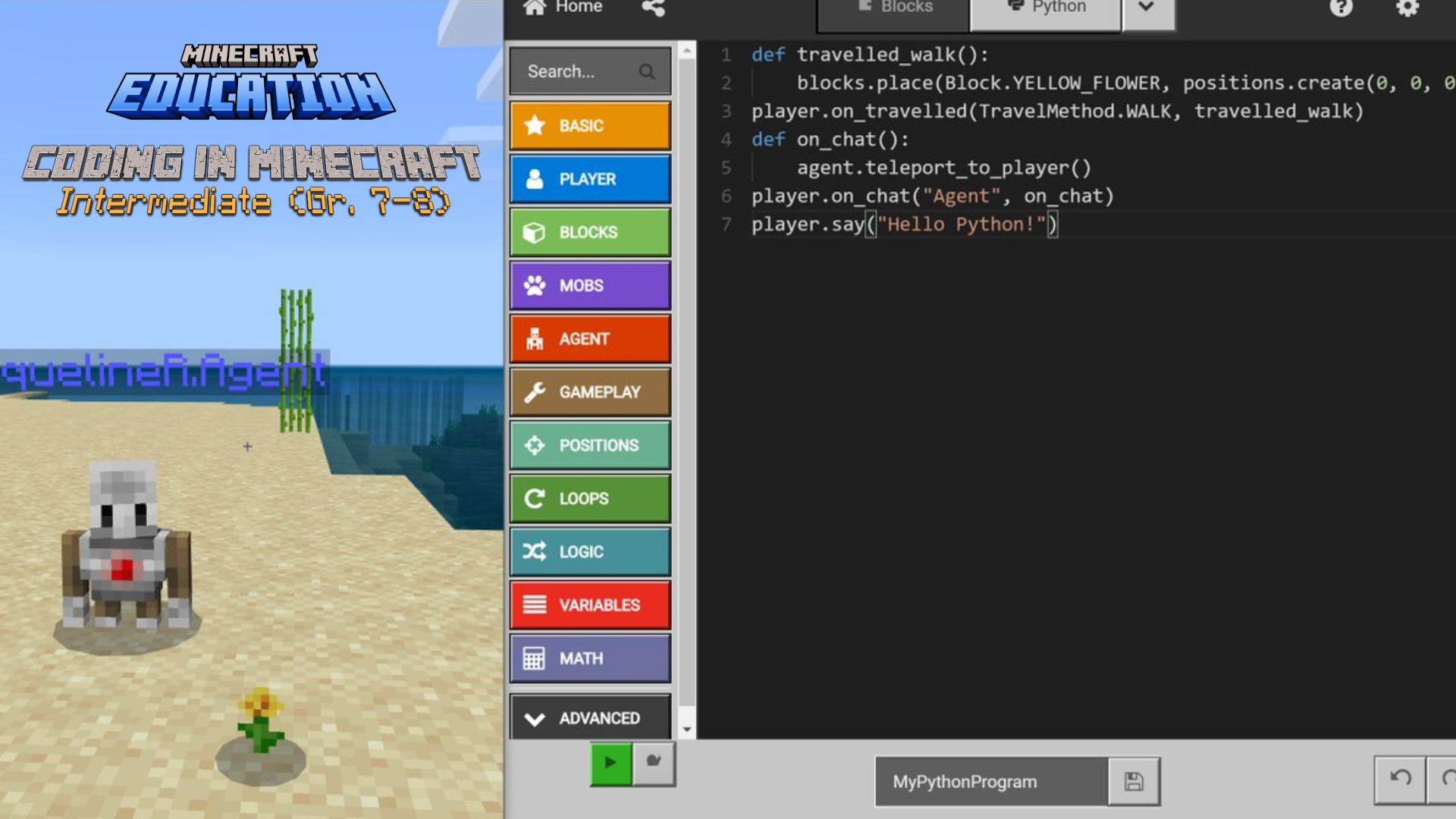
This Logics Academy Lesson, designed for Grades 7-8 will bring computer science and computational thinking to life with Minecraft: Education Edition. You and your students will explore 5 essential computer science lessons that not only help develop the ability to code, but also enhance problem-solving and creativity. After exploring the basics of block coding, students will have the opportunity to extend their understanding of logic to an introduction to Python. This Lesson has a focus on essential coding competencies for any computer language and builds on student engagement and creativity with technology across the curriculum. This lesson series would be a great supplement to teachers looking to enhance Math, Science, and CTF in their junior high classrooms.
➔ Introduction to Code Builder using both block coding and Python
➔ Exploring the coding space and the cartesian plane by coding an agent
➔ Developing Loops in order to collect and create
➔ Sandbox challenge of creating a sustainable home using code
➔ Be a code doctor with debugging and abstraction
This series of lessons would be a great challenge for a Math or Science class or would be a valuable addition to a computer science or CTF option. Consider spending time with your students developing background knowledge on the use and purpose of computer programming in order to boost their creativity and builds in Minecraft: Education Edition. Educators should also consider time for collaboration and sharing as their students work through the series.
It is recommended that the activities are completed in order as they build upon each other, but if you don’t have time for all 5, no problem! Perhaps consider using the later activities as Extensions, even after the formal unit has been completed. Refer to the following pages for a detailed description of each lesson.
Suggested Materials (in addition to M:EE): None.
In this video, students will meet the team of co-teachers that will be working with them throughout the project and will also learn more about each of the 5 lessons that will be covered.
Introduction
Suggested Materials (in addition to M:EE): Microsoft Word or pencil and paper for brainstorming (Word is preferred as it would allow students to copy & paste).
In this lesson, students will be introduced to the world of computer science and code. Why do we need computer code? How does it function in the “real world”? Students will learn about the code builder environment and they will begin their work in Minecraft: Education Edition by learning to find, manipulate, and create with block coding and Python. It will be important for students to learn the logic of creating instructions in the form of algorithms for a computer along with the technical skills of dragging blocks, editing, and having a revision mindset. Students will be challenged to kick off the agent trials! The lesson wraps up with an invitation to reflect on the importance of understanding how to give instructions to a computer in a class discussion.
Activity 1
Suggested Materials (in addition to M:EE): paper and pencil to plan code.
In this lesson, students will get to immerse themselves in a whole new world of code! Students will take a third person control view to learn the principles of creation on a Cartesian Plane. They will begin by exploring movement in their world using the horizontal and vertical positions of x and y. Students will be invited to explore other uses of the cartesian coordinate system. The lesson wraps up with students creating sequences in their code world to make it rain chickens. Students will be invited to share the importance of creating sequences in code.
Activity 2
Suggested Materials (in addition to M:EE): Paper and pencil.
In this activity, students will be introduced to the computer science concepts of loops, repeats, and conditional statements. Students will have an opportunity to explore tasks in the real world that require things to happen over and over again, such as traffic lights, playlists, and sports. Next, students will start to experiment with the idea of cause and effect in code. If and then statements are part of our everyday lives such as, IF it is cold THEN we put on a coat. Students will then extend this logic to situations in their code builder world. The lesson wraps up with an invitation to reflect on how combining loops and conditional statements makes code better and faster.
Activity 3
Suggested Materials (in addition to M:EE): Word Processor or pencil/paper for planning and gathering research, teacher vetted resources for research.
In this activity, students will be invited to combine all the skills they learned in the previous three lessons to show off and create something of their very own! Students will be challenged to build their very own sustainable home. They will begin their work by researching the qualities of a sustainable home and will discuss what elements would need to be present in their code builder world. How will food, water, and the shelter be created with these sustainable ideas in mind? Students will then construct their home using three criteria of dig/fill, build, and grow. The lesson wraps up with an invitation to share what they created and to describe three ways they made their home sustainable.
Activity 4
Suggested Materials (in addition to M:EE): Word Processor or pencil/paper to troubleshoot, brainstorming and collaboration time.
In this final lesson students will be challenged to solve two problems in code. The first concept students will be invited to discuss is their understanding of debugging. Debugging means to run your code step-by-step to find the exact point where you made a programming mistake. Students will be presented with code that has an error and will be asked to collaborate to solve the problem. Next the students will learn about abstraction. Simply put, abstraction is a programming principle of reducing the complexity and increasing the efficiency of code. For example, why program ‘move forward 15 times’ when you can have a repeat. Students will be given code that they will be challenged to improve upon and make even better. The lesson wraps up with a celebration for completing all the activities!
Activity 5
Description: Organize physical coding challenges where students translate their coding knowledge into real-world actions. For example, create a maze on the classroom floor using masking tape, and have students program each other to navigate through the maze using instructions similar to those used in Minecraft coding.
Description: Engage students in algorithmic art projects where they use their understanding of sequencing and loops to create visual art. Students can design step-by-step algorithms to create patterns, designs, or geometric shapes using art supplies such as paper, markers, and colored pencils. This activity reinforces the concept of algorithmic thinking and creativity.
Description: Introduce unplugged coding games that simulate coding concepts without the need for digital devices. Games like "Robot Commands" or "Directional Dice" challenge students to use directional language (forward, backward, left, right) to navigate a maze or complete a task. These games reinforce the understanding of sequences, loops, and conditional statements in a fun and interactive way.
Description: Incorporate STEM challenges that integrate coding with other disciplines such as science and engineering. For example, challenge students to design and build a model of a sustainable home using recyclable materials. Students can apply their coding skills to automate features of the model home, such as controlling lights or temperature sensors.
Description: Encourage students to maintain coding journals or blogs where they document their coding journey, reflect on their learning experiences, and showcase their coding projects. In their journals or blogs, students can write about coding challenges they faced, strategies they used to solve problems, and ideas for future projects. This activity promotes metacognition, communication skills, and digital literacy.
Understanding of Coding Concepts (4 points):
4: Demonstrates a thorough understanding of coding concepts, including sequencing, loops, conditional statements, and debugging, and effectively applies them to solve coding challenges.
3: Shows a good understanding of most coding concepts and can apply them with some assistance to solve coding challenges.
2: Demonstrates basic understanding of some coding concepts but struggles to apply them consistently to solve coding challenges.
1: Shows little understanding of coding concepts and requires significant assistance to complete coding tasks.
Problem-Solving Skills (4 points):
4: Demonstrates strong problem-solving skills by effectively identifying, analyzing, and solving coding challenges using logical reasoning and critical thinking.
3: Shows good problem-solving skills and can identify and analyze coding challenges with moderate success, occasionally requiring guidance.
2: Demonstrates limited problem-solving skills and struggles to identify and analyze coding challenges, often requiring significant assistance.
1: Shows minimal problem-solving skills and requires constant guidance to approach coding challenges.
Creativity and Innovation (4 points):
4: Exhibits exceptional creativity and innovation in coding projects, demonstrating originality in design, implementation, and presentation.
3: Shows creativity and innovation in coding projects, with some original ideas and thoughtful approaches to design and implementation.
2: Demonstrates limited creativity and innovation in coding projects, with few original ideas and uninspired design and implementation.
1: Displays minimal creativity and innovation in coding projects, with little to no original ideas and lackluster design and implementation.
Collaboration and Communication (4 points):
4: Collaborates effectively with peers, communicates ideas clearly and articulately, actively listens to others, and contributes constructively to group discussions and projects.
3: Works well with peers, communicates ideas clearly, listens to others, and contributes to group discussions and projects.
2: Demonstrates limited collaboration with peers, struggles to communicate ideas effectively, and may have difficulty listening to others.
1: Shows minimal collaboration with peers, has difficulty communicating ideas, and may disrupt group discussions and projects.
ISTE Standard: Computational Thinker
Indicator: Students develop and employ strategies for understanding and solving problems in ways that leverage the power of technological methods to develop and test solutions.
ISTE Standard: Creative Communicator
Indicator: Students choose the appropriate platforms and tools for meeting the desired objectives of their creation or communication.
ISTE Standard: Innovative Designer
Indicator: Students use a variety of technologies within a design process to identify and solve problems by creating new, useful, or imaginative solutions.
ISTE Standard: Global Collaborator
Indicator: Students use digital tools to broaden their perspectives and enrich their learning by collaborating with others and working effectively in teams locally and globally.
ISTE Standard: Computational Thinker
Indicator: Students formulate problem definitions suited for technology-assisted methods such as data analysis, abstract models, and algorithmic thinking in exploring and finding solutions.
NGSS Standard: MS-ETS1-1
Performance Expectation: Define the criteria and constraints of a design problem with sufficient precision to ensure a successful solution, taking into account relevant scientific principles and potential impacts on people and the natural environment that may limit possible solutions.
NGSS Standard: MS-ETS1-2
Performance Expectation: Evaluate competing design solutions using a systematic process to determine how well they meet the criteria and constraints of the problem.
NGSS Standard: MS-ETS1-4
Performance Expectation: Develop a model to generate data for iterative testing and modification of a proposed object, tool, or process such that an optimal design can be achieved.
NGSS Standard: MS-ESS3-3
Performance Expectation: Apply scientific principles to design a method for monitoring and minimizing a human impact on the environment.
NGSS Standard: MS-ETS1-3
Performance Expectation: Analyze data from tests to determine similarities and differences among several design solutions to identify the best characteristics of each that can be combined into a new solution to better meet the criteria for success.
Math:
CCSS.MATH.CONTENT.7.EE.B.4.A: Solve word problems leading to equations of the form px + q = r and p(x + q) = r, where p, q, and r are specific rational numbers.
Math:
CCSS.MATH.CONTENT.8.G.A.1: Understand that a two-dimensional figure is congruent to another if the second can be obtained from the first by a sequence of rotations, reflections, and translations.
Technology:
CCSS.ELA-LITERACY.RST.6-8.3: Follow precisely a multistep procedure when carrying out experiments, taking measurements, or performing technical tasks.
Math:
CCSS.MATH.CONTENT.8.EE.A.3: Use numbers expressed in the form of a single digit times an integer power of 10 to estimate very large or very small quantities, and to express how many times as much one is than the other.
Science:
CCSS.ELA-LITERACY.RST.6-8.7: Integrate quantitative or technical information expressed in words in a text with a version of that information expressed visually (e.g., in a flowchart, diagram, model, graph, or table).
Science:
CCSS.ELA-LITERACY.RST.6-8.9: Compare and contrast the information gained from experiments, simulations, video, or multimedia sources with that gained from reading a text on the same topic.
Math:
CCSS.MATH.CONTENT.8.F.B.4: Construct a function to model a linear relationship between two quantities.
Technology:
CCSS.ELA-LITERACY.RST.6-8.8: Distinguish among facts, reasoned judgment based on research findings, and speculation in a text.
Math (Grade 6):
Analyze and solve problems involving the relationship between fractions, decimals, and percents.
Represent and analyze patterns and relationships, using graphs, tables, and charts.
Math (Grade 8):
Apply the concepts of ratio, rate, proportion, and percent in solving problems.
Analyze puzzles and games involving spatial reasoning, and describe the strategy used to solve them.
Applied Design, Skills, and Technologies (ADST) (Grade 6-8):
Understand and apply the basic concepts of coding, including sequencing, loops, and events.
Design and create digital artifacts using various software tools.
Math (Grade 6):
Solve problems involving the multiplication and division of decimal numbers.
Represent and describe relationships between variables using tables of values and graphs.
Math (Grade 8):
Solve problems involving linear relationships.
Analyze and interpret data presented in various forms, including tables, charts, and graphs.
Technology (Grade 6-8):
Use digital tools and resources to design and create digital media products.
Understand and apply computational thinking concepts, such as algorithms and debugging.
Math (Grade 6):
Solve problems involving the addition, subtraction, multiplication, and division of fractions and decimals.
Analyze and represent patterns and relationships using tables, graphs, and algebraic expressions.
Math (Grade 8):
Apply proportional reasoning to solve problems involving rates, ratios, and proportions.
Investigate and describe linear relationships using graphs, tables, and equations.
ICT (Grade 6-8):
Use coding and programming concepts to solve problems and create digital products.
Demonstrate an understanding of digital citizenship and ethical behavior in online environments.
Math (Grade 6):
Solve problems involving operations with fractions, decimals, and percents.
Analyze and represent patterns and relationships using tables, graphs, and equations.
Math (Grade 8):
Use proportional reasoning to solve problems involving rates, ratios, and proportions.
Analyze and interpret data presented in various forms, including charts, graphs, and diagrams.
ICT (Grade 6-8):
Use coding and programming concepts to solve problems and create digital artifacts.
Demonstrate responsible and ethical behavior when using digital technologies.
Math (Grade 6):
Solve problems involving operations with fractions, decimals, and percents.
Analyze and represent patterns and relationships using algebraic expressions and equations.
Math (Grade 8):
Apply proportional reasoning to solve problems involving rates, ratios, and proportions.
Analyze and interpret data presented in various forms, including graphs and charts.
ICT (Grade 6-8):
Use coding and programming concepts to design and create digital products.
Demonstrate digital citizenship and online safety practices when using technology.
Math (Grade 6):
Solve problems involving operations with fractions, decimals, and percents.
Analyze and represent patterns and relationships using tables, graphs, and algebraic expressions.
Math (Grade 8):
Apply proportional reasoning to solve problems involving rates, ratios, and proportions.
Analyze and interpret data presented in various forms, including graphs, charts, and diagrams.
Technology (Grade 6-8):
Use coding and programming concepts to create digital artifacts and solve problems.
Demonstrate an understanding of digital citizenship and online safety.
Math (Grade 6):
Solve problems involving operations with fractions, decimals, and percents.
Analyze and represent patterns and relationships using tables, graphs, and algebraic expressions.
Math (Grade 8):
Apply proportional reasoning to solve problems involving rates, ratios, and proportions.
Analyze and interpret data presented in various forms, including graphs, charts, and diagrams.
Technology (Grade 6-8):
Use coding and programming concepts to solve problems and create digital products.
Demonstrate responsible and ethical behavior when using digital technologies.
Math (Grade 6):
Solve problems involving operations with fractions, decimals, and percents.
Analyze and represent patterns and relationships using tables, graphs, and algebraic expressions.
Math (Grade 8):
Apply proportional reasoning to solve problems involving rates, ratios, and proportions.
Analyze and interpret data presented in various forms, including graphs, charts, and diagrams.
Technology (Grade 6-8):
Use coding and programming concepts to solve problems and create digital products.
Demonstrate responsible and ethical behavior when using digital technologies.
Math (Grade 6):
Solve problems involving operations with fractions, decimals, and percentages.
Analyze and represent patterns and relationships using tables, graphs, and algebraic expressions.
Math (Grade 8):
Apply proportional reasoning to solve problems involving rates, ratios, and proportions.
Analyze and interpret data presented in various forms, including graphs, charts, and diagrams.
Technology (Grade 6-8):
Use coding and programming concepts to solve problems and create digital artifacts.
Demonstrate an understanding of digital citizenship and online safety practices.