
Loading…
Loading…
In this lesson, students will develop ways to set up an Esports competition using Minecraft Education Edition with a focus on student voice and agency.
Welcome to this Minecraft: Education Edition lesson! Before you begin, take a few moments to let us know your thoughts or feedback on how we can improve this lesson in order to better enhance the learning experience that is delivered in your classroom!
Click here or follow the form below to complete the feedback survey once you've completed this lesson. Thank you!
Click and watch this teacher preparation video to help you understand how to teach this lesson.
Check out the YouTube link of the video for your reference: https://youtu.be/LjyfBVZLKX8
Start Here: Teacher Preparation Video
Build a safe collaborative environment using teamwork.
Understand other’s abilities.
Establish an E-sports league
Collaboration
Creativity
Critical thinking
What does effective teamwork look like?
What are the advantages and challenges of working with others?
How can we contribute to healthy competition?
This program can readily be run in a class or grade group. If you want to manage a multi-age student group/club, then a lunch time program is easiest to support and will allow you to quickly get up and running.
Suggested steps in building the league:
Students are placed/choose groups of 4-5
Students individually submit a reflection on why they want to join the league (What will they gain out of it?)
Teacher and/or students design a league ladder (virtual or physical) and tournament schedule.
Students design and create their team name for the league and submit/design a place card to be used on the league ladder (virtual or physical)
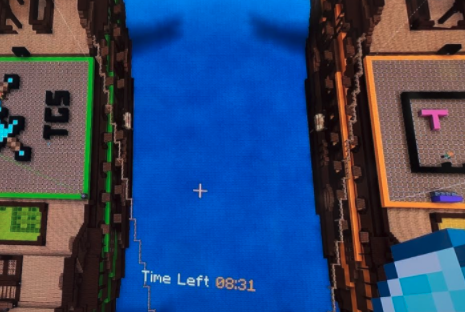
Students use 32x32 grid paper to design their team logo (that they will build in a 15min competition against another team as their first build challenge). The winner will be judged by how well the Minecraft build replicates what was drawn on paper.
Teacher selects a make and model world to use for competition and acquaint herself with the use of the programmed components. https://www.youtube.com/watch?v=NOnJVlDF-qo
Each week teams compete. Teams that are not competing may be designing for their grid paper, tournament spectators and supporters, analyzing play, practicing challenges.
Students gain league points for creating their designs on grid paper using scientific drawing features e.g., labeling aspects and for competing, winning, supporting other teams.
Consider design challenges to get teams started design a team logo, sustainable house, something that represents your school, or a tool to help someone.
Create space for students to brainstorm challenges that could be used for upcoming tournaments.
If building for a player’s league outside your school or class students could also take up roles to market, advertise and schedule for their league. However, it may be advisable to run a schools-based league first (as a pilot), to iron out any kinks, before hosting an inter-school league. *Note that play outside your tenancy cannot be completed in the same world. It is still possible to compete, but tournaments would have to be run in parallel, but separate Make and Model worlds.
While team competition is the vehicle, the focus here is on the social aspects of collaboration, teamwork, sportsmanship and leadership. Teachers should collect observations and evidence of student development in these areas.
Victorian Curriculum
Health and Physical Education:
Respectful relationships
Building resilience
Personal and Social Capability:
Collaboration
Development of resilience
Video of Minecraft E-Sports Design: https://www.youtube.com/watch?v=NOnJVlDF-qo
M:EE E-Sports Overview: https://education.minecraft.net/en-us/resources/stem-esports-challenges
Check out the Tips & Tricks video playlist that will help you and your students better use Minecraft: Education Edition in the classroom:
https://youtube.com/playlist?list=PLkh9rrdH-ARER03ojhFYtmoFDVuACYJLa
More videos added periodically so make sure you check often for more content!
Click and watch the student pause and play video with your class, pausing and playing as needed. This will help your students understand how to navigate through this lesson and Minecraft world and complete the activities located within them. Enjoy!
Check out the YouTube link to this video for your reference: https://youtu.be/TKH5Vo_88fA
Student 'Pause & Play' Video
Are thoughtful and able to learn and to think critically, and can communicate
Information from a broad knowledge base
Are creative, flexible, and self-motivated and have a positive self-image
Are capable of making independent decisions
Are skilled and able to contribute to society generally, including the world of work
Are productive, gain satisfaction through achievement, and strive for physical well-being
Are co-operative, principled, and respectful of others regardless of differences
Are aware of the rights of the individual and are prepared to exercise the responsibilities of the individual within the family, the community, Canada, and the world
Algebra (Coding)
C3.1 solve problems and create computational representations of mathematical situations by writing and executing code, including code that involves sequential, concurrent, repeating, and nested events
Algebra (Coding)
C3.1 solve problems and create computational representations of mathematical situations by writing and executing code, including code that involves conditional statements and other control structures.
Algebra (Coding)
C3.1 solve problems and create computational representations of mathematical situations by writing and executing code, including code that involves conditional statements and other control structures
Social Emotional Learning Strands A1-A6
Identify and manage emotions
Recognize sources of stress and cope with challenges
Maintain positive motivation and perseverance
Build relationships and communicate effectively
Develop self-awareness and sense of identity
Think critically and creatively
The Technological Problem-Solving Skill Continuum
Critical aspects of technological problem solving are: careful planning; purposeful selection of tools and materials; testing, retesting, and modifications of a product or process; communicating about the solution; and recommending of changes or improvements.
Assessment and Evaluation of Achievement Grades 1-8
The use of critical/creative thinking processes, skills, and strategies (e.g., analyzing, interpreting, problem solving, evaluating, forming and justifying conclusions on the basis of evidence)
Core Competencies in Mathematics Grades 1-8
Developing proficiency with operations: Performing calculations with ease, precision, and consistency and with a general understanding of number and operations, number properties, and their appropriate application in problem solving.
The goal is for students to develop automaticity, which is the ability to use skills or perform mathematical procedures with little or no mental effort. Automaticity with math facts also supports students in critical thinking and problem solving.
Exploring Area SCO SS3
Q6: This would be a good question to do together because students will have different spatial abilities for estimating, and it will be useful to discuss various ways that they reason about the area of each shape. In the last two parts of this question, students might use some type of counting or multiplication to determine each area (including partial products and subtraction).
Are thoughtful and able to learn and to think critically, and can communicate
Information from a broad knowledge base
Are creative, flexible, and self-motivated and have a positive self-image
Are capable of making independent decisions
Are skilled and able to contribute to society generally, including the world of work
Are productive, gain satisfaction through achievement, and strive for physical well-being
Are co-operative, principled, and respectful of others regardless of differences
Are aware of the rights of the individual and are prepared to exercise the responsibilities of the individual within the family, the community, Canada, and the world