
Loading…
Loading…
In this lesson, students will be introduced to if statements in Python through a BMI Calculator application. The if statement is used to assess information and choose one course of action or another for decision making. This construct processes conditional execution of a statement or a group of statements according to the value of an expression. Students will learn about conditional algorithms and develop a BMI Calculator to assess their weight status.
In this lesson, students will be introduced to if statements in Python through a BMI Calculator application. The if statement is used to assess information and choose one course of action or another for decision making. This construct processes conditional execution of a statement or a group of statements according to the value of an expression. Students will learn about conditional algorithms and develop a BMI Calculator to assess their weight status.
Using Python conditional statements (if statement)
The effect of indentation
Logic comparison operators used within conditional statements
Welcome to this Python Coding lesson! Before you begin, take a few moments to let us know your thoughts or feedback on how we can improve this lesson in order to better enhance the learning experience that is delivered in your classroom!
Click here or follow the form below to complete the feedback survey once you've completed this lesson. Thank you!
This lesson will introduce the if statement in Python through a BMI Calculator application
The if statement is used to assess information and choose one course of action or another for decision making
This construct processes conditional execution of a statement or a group of statements according to the value of an expression
Students will learn about conditional algorithms and develop a BMI Calculator to assess their weight status
Students should have a laptop or device with mBlock 5 installed (desktop version or cloud-based version) and mBlock Python editor (mLink) installed. Click here to download the Python editor (mLink).
Worksheet: Lesson4_BMICalculator_Worksheet
1. Let's begin by familiarizing ourselves with the key points of this lesson
How to convert and calculate the input data
The if statements and indentation
Logical comparison operators in Python
The concept and standards of the BMI
2. Ask: What is BMI and what is it used for?
Answer: The Body Mass Index (BMI) is a measure that uses your height and weight to work out if your weight is healthy. To calculate the BMI, you can divide your weight in kilograms by the square of your height in meters.
A normal BMI is between 18.5 and 25; a person with a BMI between 25 and 30 is considered overweight, and a person with a BMI over 30 is considered obese. A person is considered underweight if the BMI is less than 18.5.
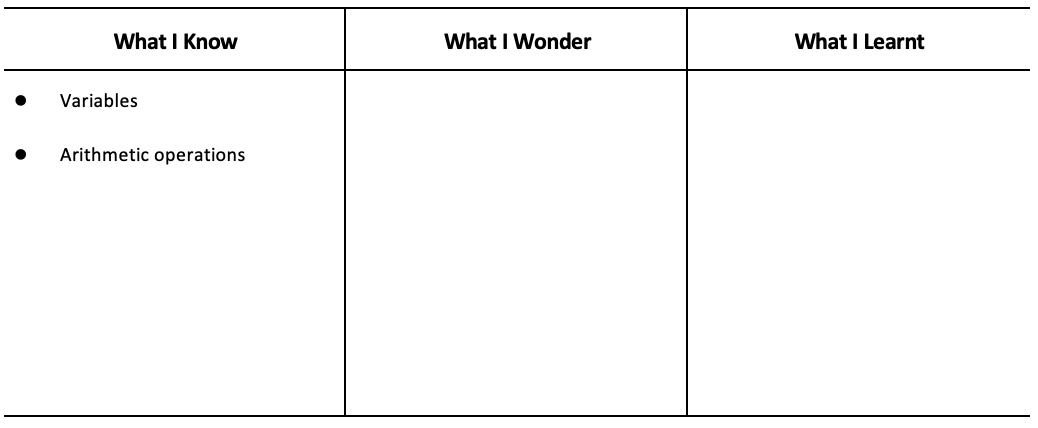
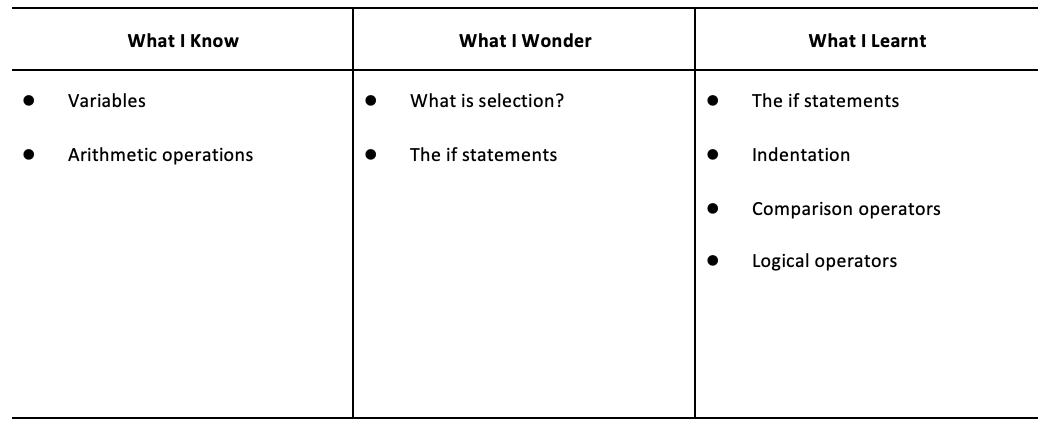
3. Have students fill out the ‘What I Know’ column of the K-W-L chart before the class
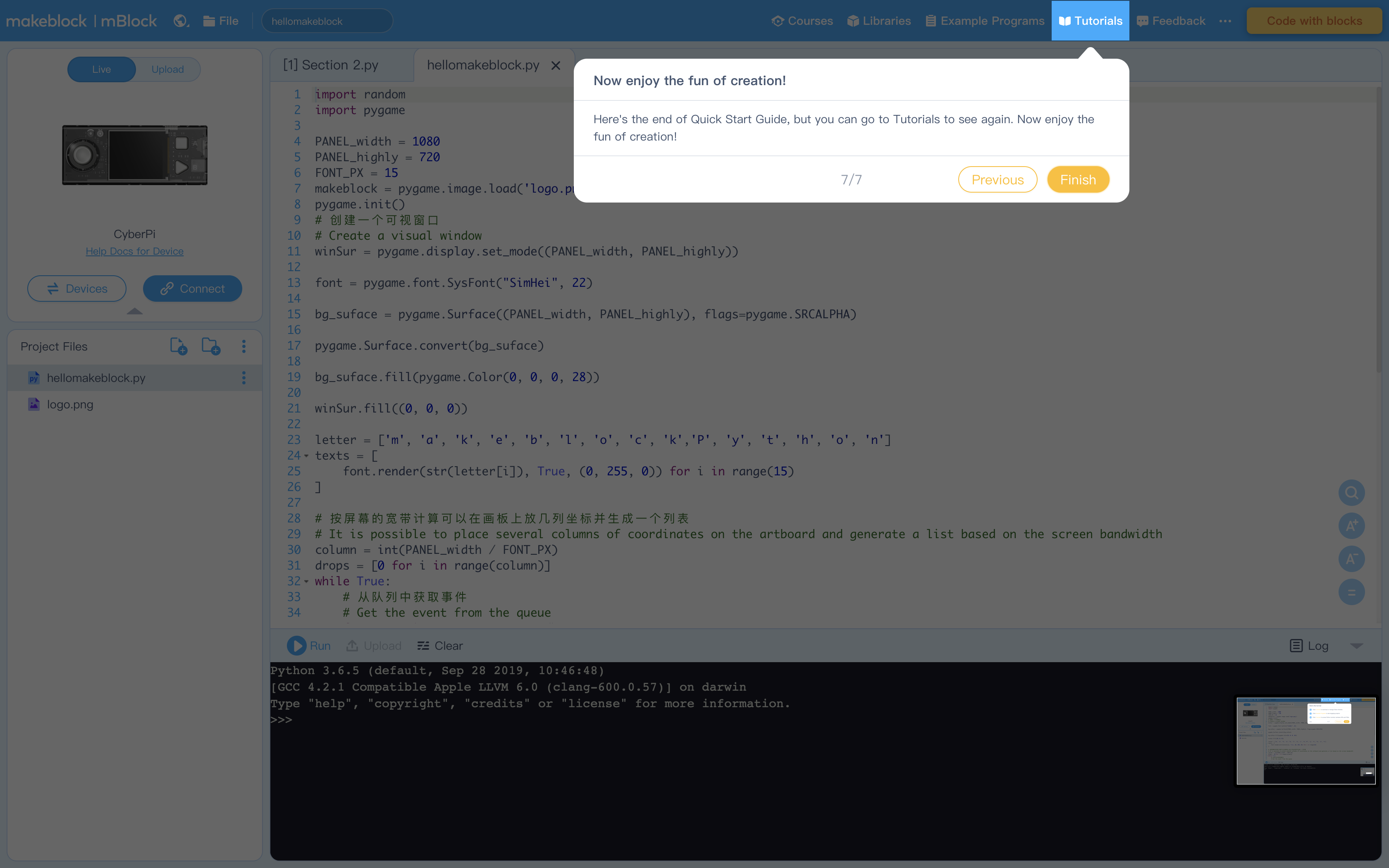
1. When you open the editor for the first time you will see these explanations mapping the interface. Encourage students to thoroughly read through it. Below are the screen captures if you ever need to reference them again.
Figure 1: To connect your CyperPi
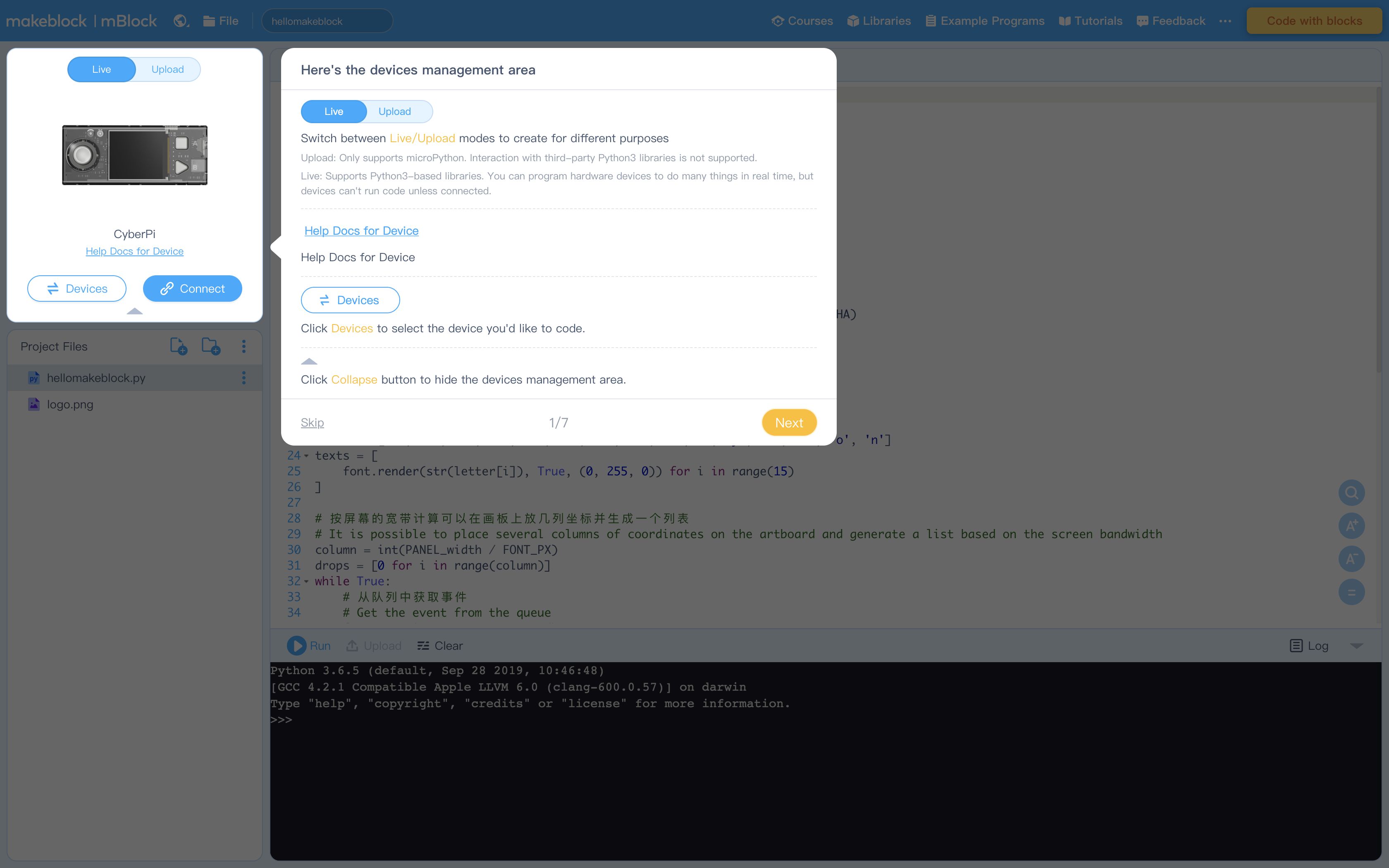
Figure 2: Creating Projects and Project files (see How to Create, Open, Import, or Export Project Files)
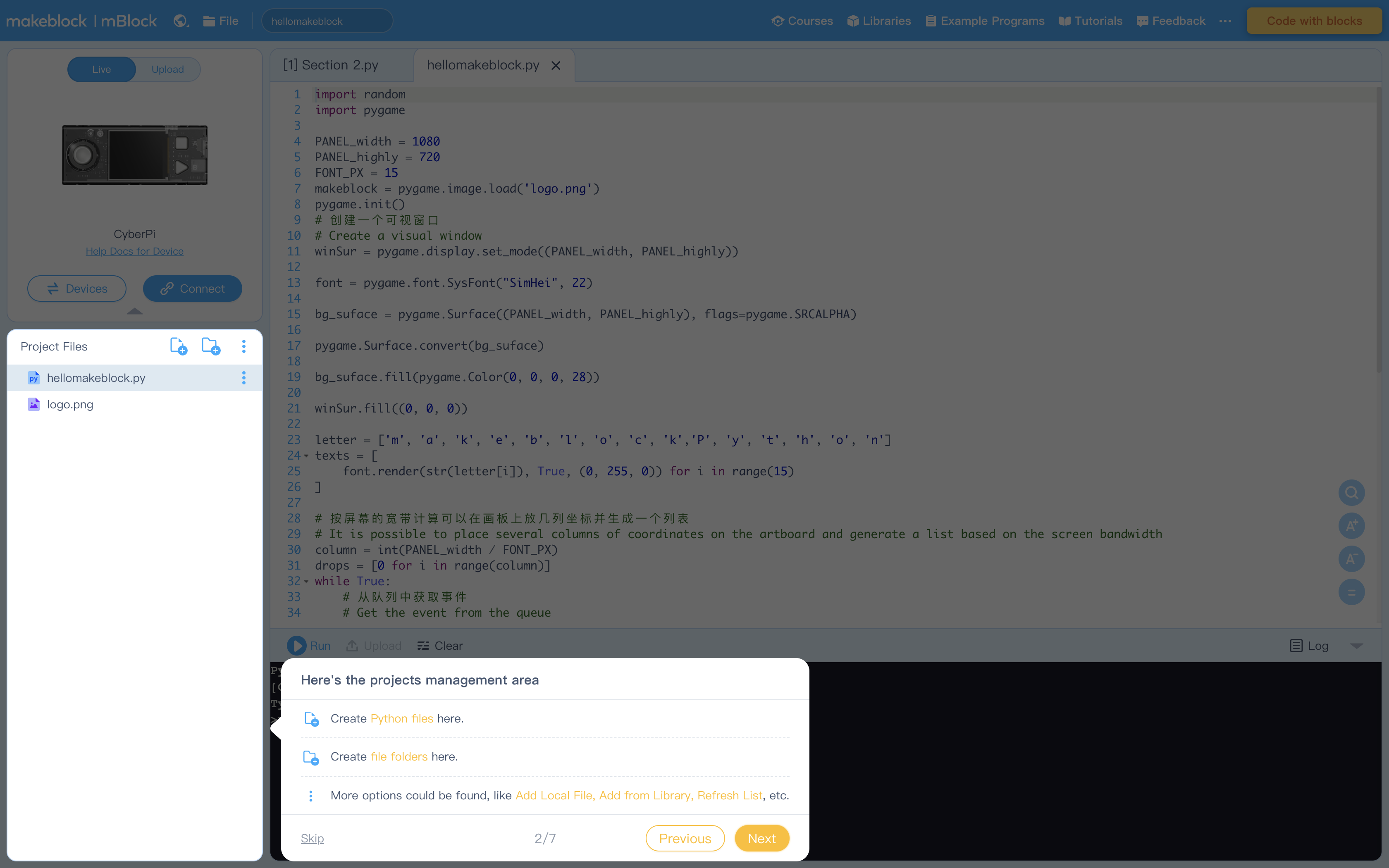
Figure 3: Editing Area
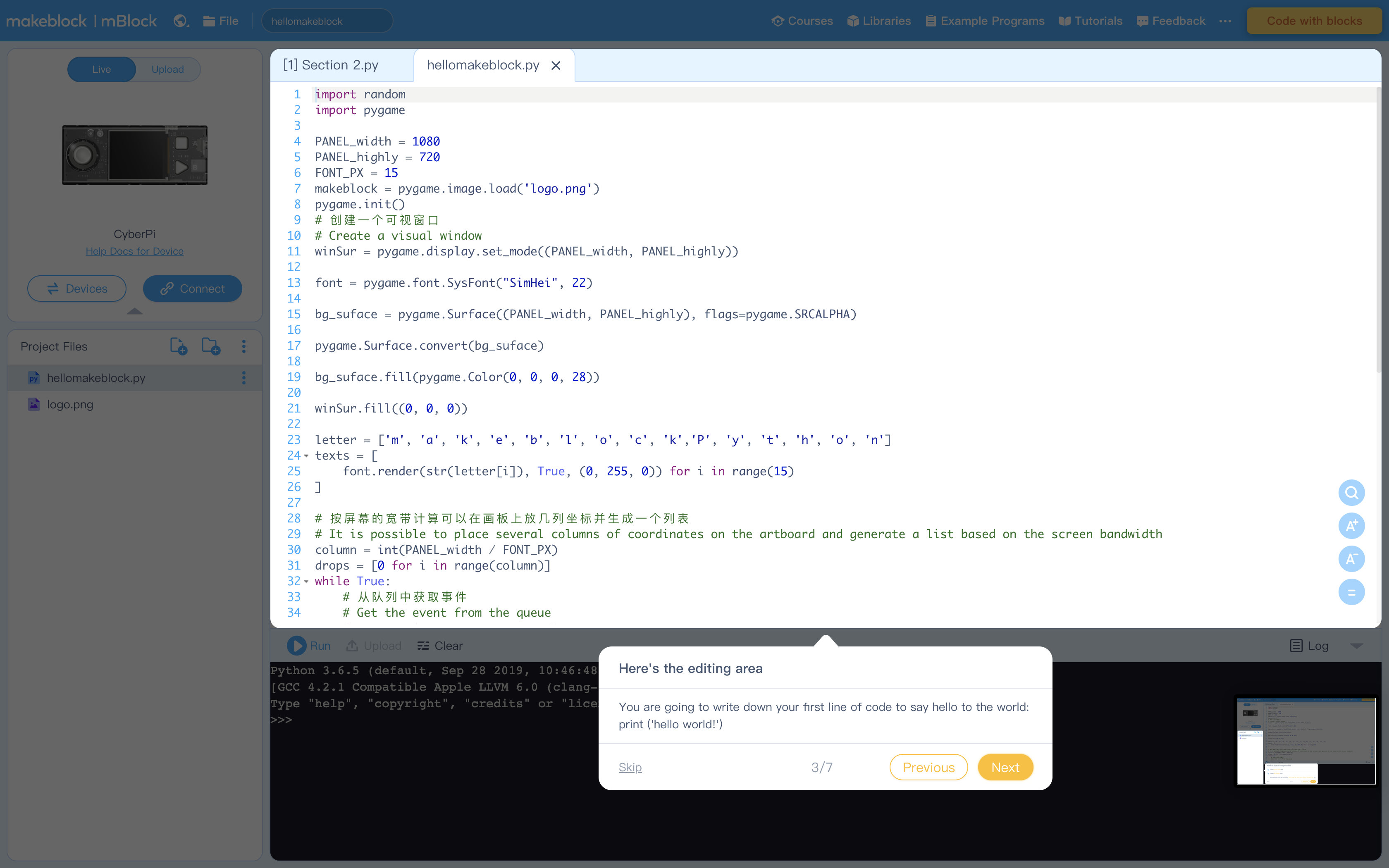
Figure 4: Console Commands to run code and more
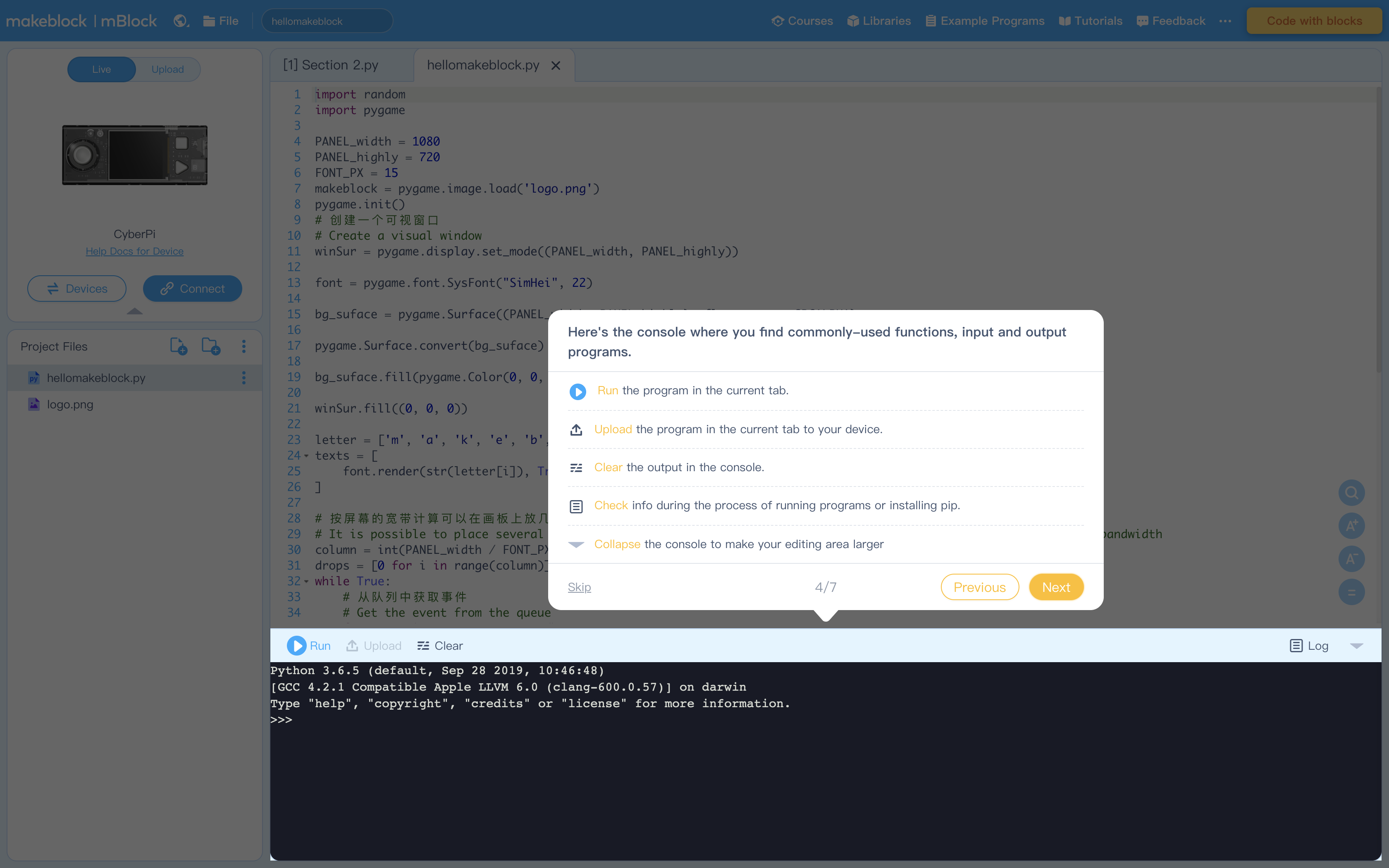
Figure 5: Terminal (Console) to display output from Editing Area
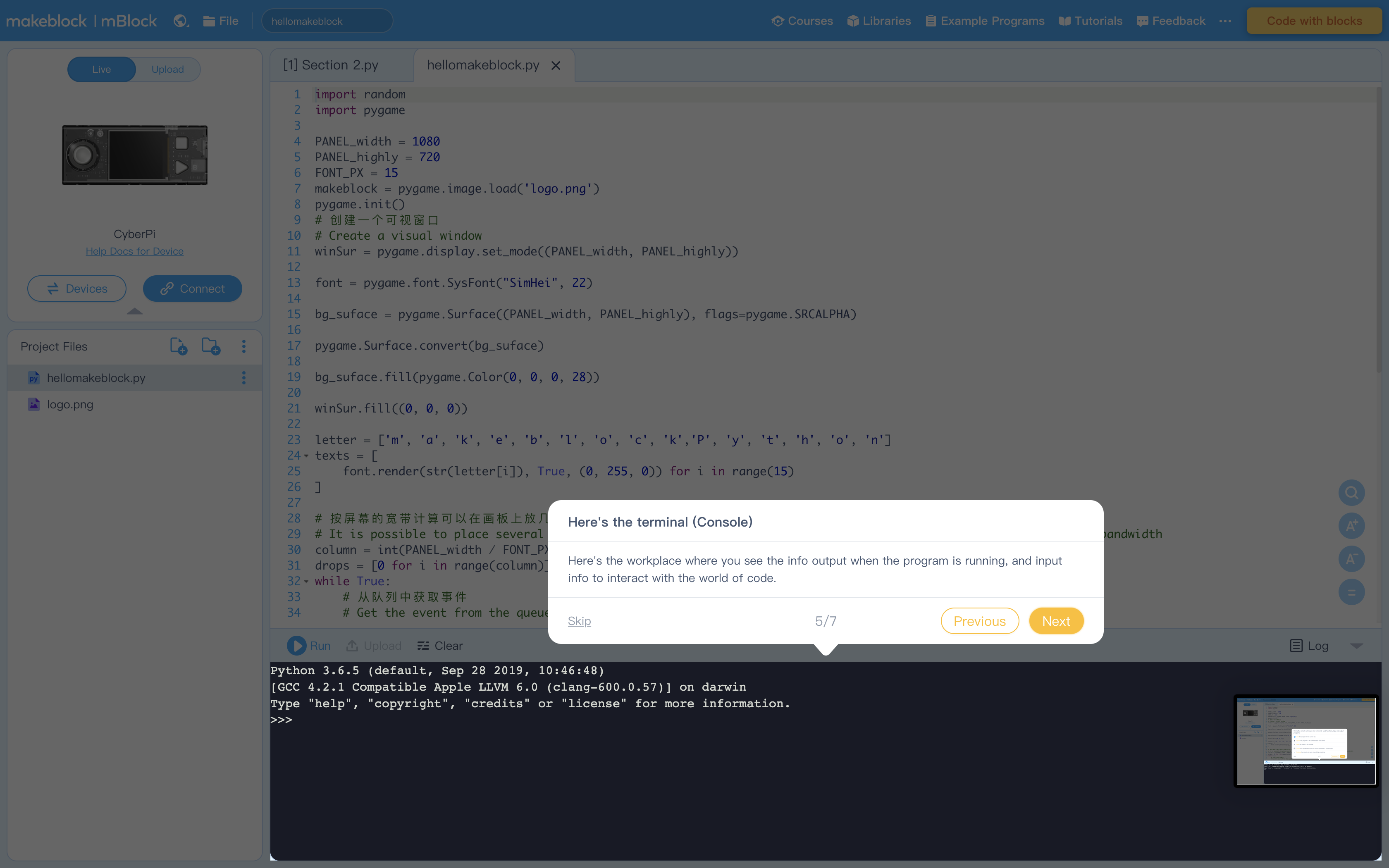
Figure 6: Libraries containing example program. Feel free to explore these at your leisure
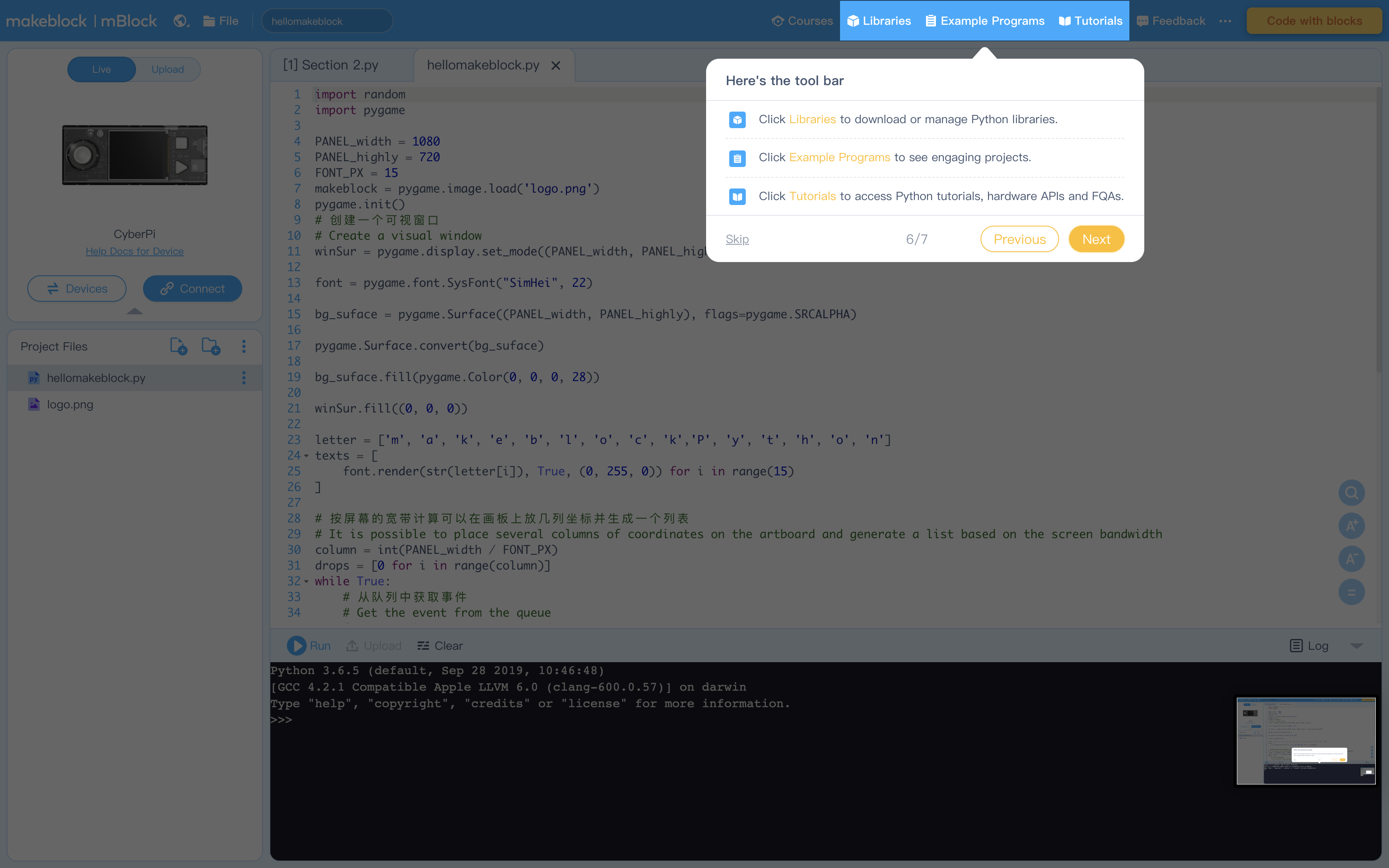
Figure 7: Click "Tutorials" to view these helpful instructions anytime
1. Start of by reviewing the concept of BMI
Say: The Body Mass Index is a measure that uses your height and weight to work out if your weight is healthy. To calculate the BMI, you can divide your weight in kilograms by the square of your height in meters.
2. Demonstrate how to calculate the BMI:
Suppose a person’s height is 1.72m and his weight is 60kg, his BMI would be
60 ÷ 1.722 ≈ 20.3
Evaluate a BMI of 20.3 using the table below, also found in the student worksheet
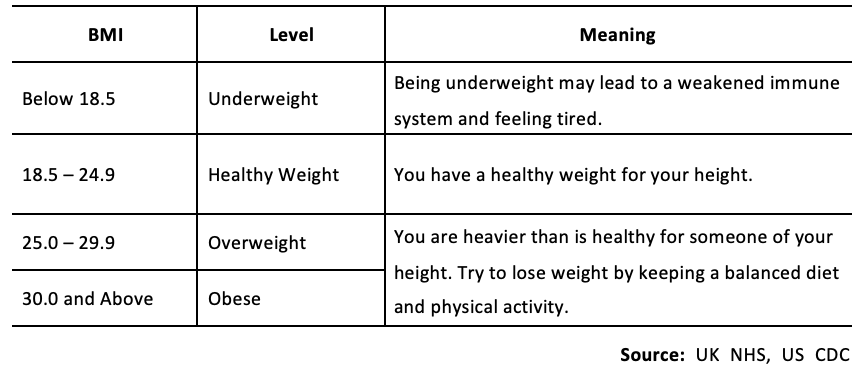
3. Explain to the class that in this lesson they will create a BMI calculator through Python, which can calculate the BMI automatically and indicate the level of weight status.
1. Have students read "Activity 1" in the example program
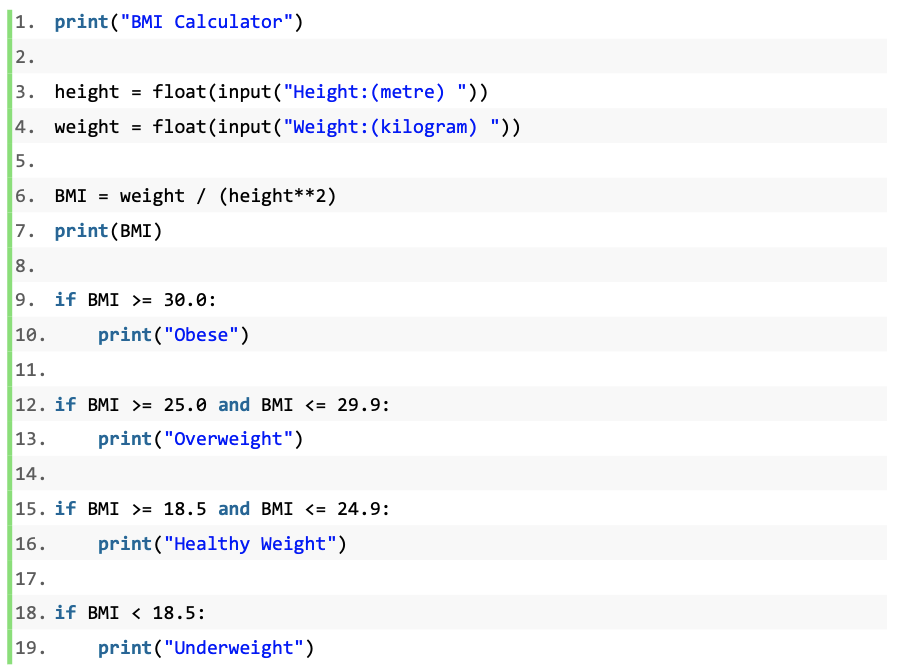
2. Ask students to "comment" the program just as they did in the last lesson. This should become a common practice whenever they are given or writing their own programs.
3. Instruct them to input different values for the height and weight and record their findings in the chart provided
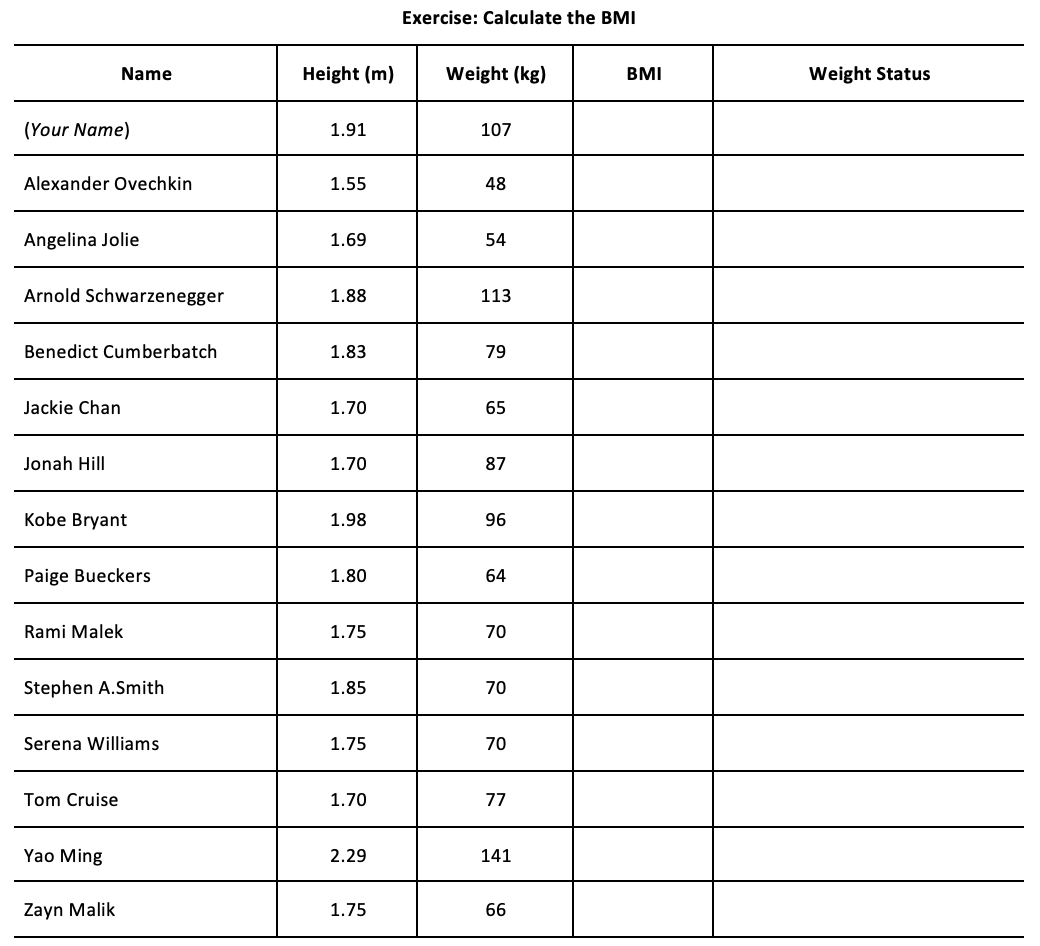
4. Instruct students to think about the questions below while running the program:
Did the program work in as you expected?
Why are we using float data typed?
How are we dividing the BMI into ranges?
5. Explain the use of the if statements
Say: The BMI Calculator program uses selection statements (if statements) to divide the BMI into four ranges
In Python, a selection statement (or selection construct) is used to test a condition and make a decision
6. Our program works as follows:
Ask the height and weight
Calculate the BMI by using the equation
IF the result (20.3) is equal to or greater than 18.5 AND equal to or less than 24.9, THEN the program reports ‘healthy weight’
1. Instruct students to draw a flowchart on their worksheets. Show an example of the selection construct flow for reference:
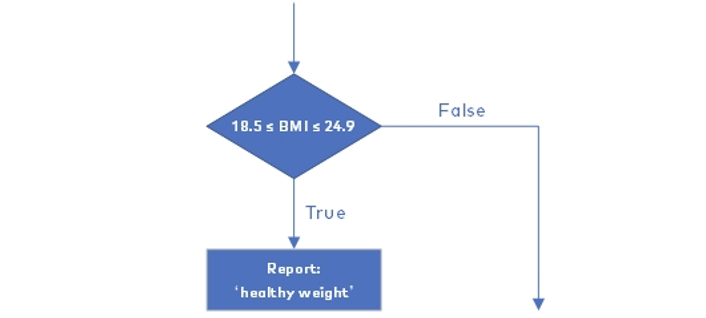
Note: Conditional statements are put inside diamond shapes and outputs are put inside rectangles.
Use the appropriate shapes given on your worksheet to complete the flow chart
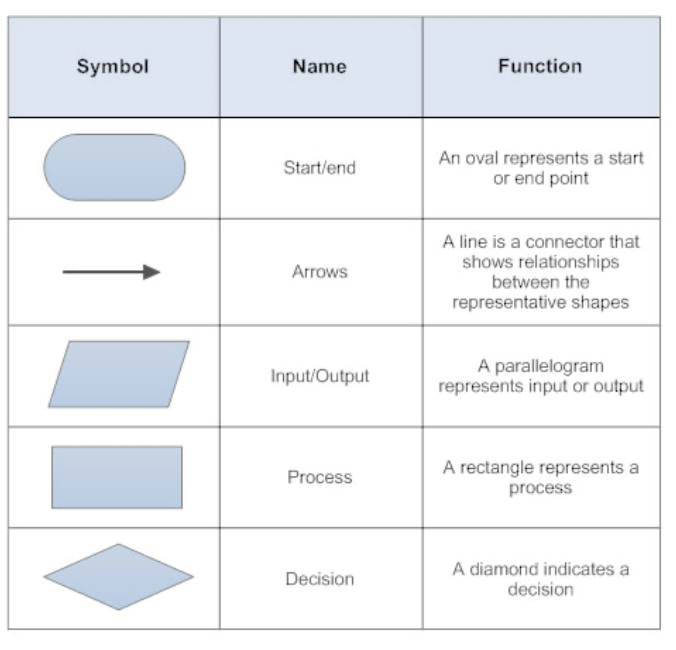
2. Have students work in pairs to complete the tasks as follow:
Task 1: Comment the code on the worksheet. Briefly explain the function.
Task 2: Investigate the conditions of the statements. Why does the program use the ‘≥’ and ‘≤’ operators to define the lowest and/or highest values of a range?
Task 3: Investigate the indentation. Remove the leading whitespace before each of the print() statements. Does the program still run? Is the output ?
Task 4: Calculate Zoe’s BMI and output her weight status. Could the program decide weight status? Why?
3. Solution to Task 4: The program cannot decide whether the BMI of ‘24.913494809688583’ should belong to ‘healthy weight’ or ‘overweight’ because the number does not fall into either range
The round() function can solve this problem by rounding off a number to the specified number of digits:
round(parameter 1, parameter 2)
The ‘parameter 1’ is the number (or variable) to be rounded, while the ‘parameter 2’ represents the number up to which the given number is rounded.
In this case it can be used as follows: BMI = round(BMI, 1)
1. Instruct students to modify the example program to create a BMI Calculator for children and teenagers
2. Say: The example program of BMI Calculator is for adults. Let’s make a new one for teenagers
3. Instruct students to refer to the article About Child & Teen BMI available from here
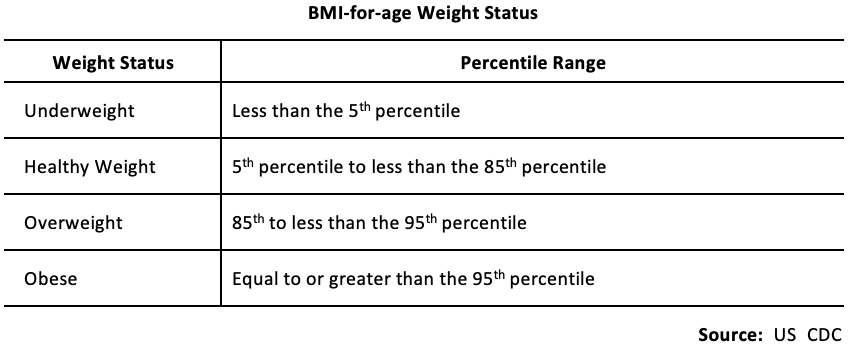
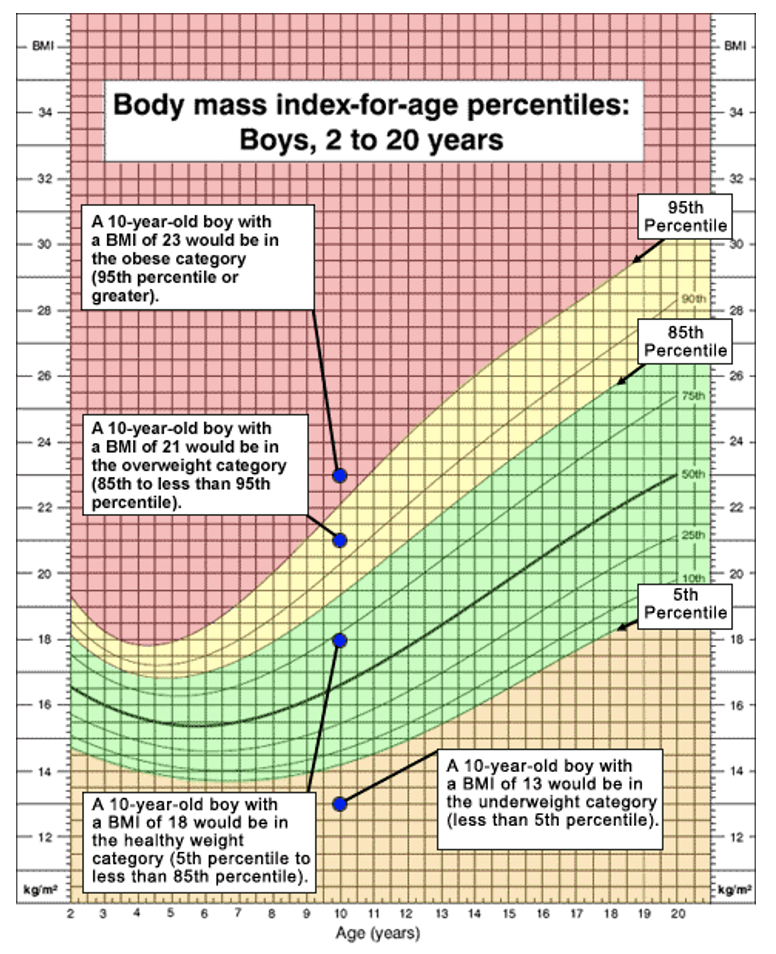
Note: The above table and chart show how to rescale the BMI for teenagers.
4. Take a 13-year-old boy as an example to demonstrate how to rescale the ranges of his BMI weight status categories:
Find the ’13 years old’ from the axis ‘Age (years)’
Read the maximum and/or minimum values of each category, for example:
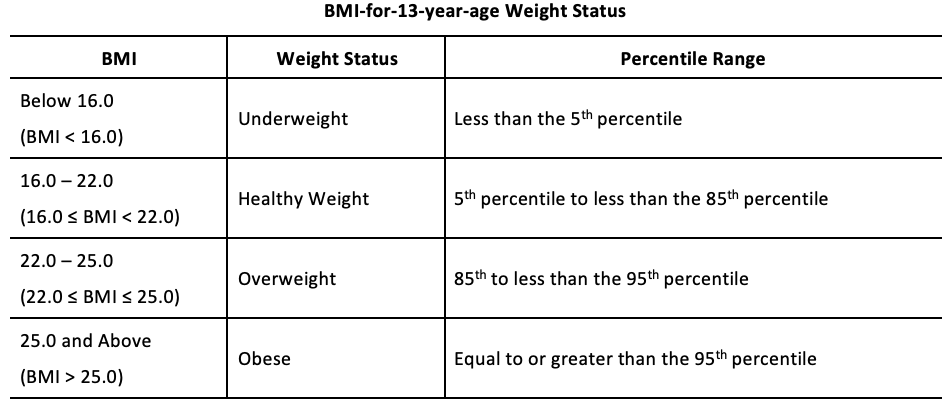
Have students fill out the K-W-L chart
Remind students to always comment their code, regardless of the simplicity
1. For students who finish early, encourage them to think about how to add another selection construct that can divide the BMI calculation into two paths according to the gender.
2. Add some health advice responses in the BMI Calculator project, so that the user can know their weight status and some simple suggestions on health management. Here is a link with a few suggestions
1. What are "if statements" and how are they used?
2. What are different logic operators used to make comparisons inside "if statements"?
3. The purpose of indentation when using "if statements"?
Algebra
C2.1 use coding to demonstrate an understanding of algebraic concepts including variables, parameters, equations, and inequalities
C2.2 create code by decomposing situations into computational steps in order to represent mathematical concepts and relationships, and to solve problems
C2.3 read code to predict its outcome, and alter code to adjust constraints, parameters, and outcomes to represent a similar or new mathematical situation
B1: ICS20 Arithmetic Operations
B1.1 use correct terminology to describe programming concepts;
B1.2 describe the types of data that computers can process and store
B1.4 determine the expressions and instructions to use in a programming statement, taking into account the order of operations
B1.5 identify situations in which decision and looping structures are required;
B1.6 describe the function of Boolean operators
B2: Writing Programs
B2.1 use a visual problem-solving model to plan the content of a program;
B2.2 use variables, expressions, and assignment statements to store and manipulate numbers and text in a program
B2.3 write keyboard input and screen output statements that conform to program specifications;
B2.4 write a program that includes a decision structure for two or more choices
B3: Code Maintenance
B3.1 write clear and maintainable code using proper programming standards
B3.3 use a tracing technique to understand program flow and to identify and correct logic and run-time errors in a computer program;
B3.4 demonstrate the ability to validate a computer program using test cases.