
Loading…
Loading…
In this lesson, students will explore how to calculate the area of a triangle in Python by using the Heron’s formula. Students will utilize the Python knowledge they have learnt in the previous learning activities to handle this geometric problem. This lesson will also introduce variables in Python, as well as the good practice of writing comments while writing Python code.

In this lesson, students will explore how to calculate the area of a triangle in Python by using the Heron’s formula. Students will utilize the Python knowledge they have learnt in the previous learning activities to handle this geometric problem. This lesson will also introduce variables in Python, as well as the good practice of writing comments while writing Python code.
Storing data of various data types into variables
Further exploration with arithmetic operations
Commenting code in Python and the importance of it
Welcome to this Python Coding lesson! Before you begin, take a few moments to let us know your thoughts or feedback on how we can improve this lesson in order to better enhance the learning experience that is delivered in your classroom!
Click here or follow the form below to complete the feedback survey once you've completed this lesson. Thank you!
In this lesson, students will explore how to calculate the area of a triangle in Python by using the Heron’s formula.
Students need to utilise the Python knowledge they have learnt in the previous learning activities to handle this geometric problem.
This lesson will also introduce variables in Python, as well as the good practice of writing comments while writing Python code
Students should have a laptop or device with mBlock 5 installed (desktop version or cloud-based version) and mBlock Python editor (mLink) installed. Click here to download the Python editor (mLink).
Worksheet: Lesson 3 Triangle Area Calculator
Example Program: Lesson 3 Triangle Area Calculator
1. Let's begin by familiarizing ourselves with the key points of this lesson
How to create a variable in Python
Arithmetic operators in Python
Concatenate strings and integers using the print() function
2. Ask students how they normally calculate the area of the triangle. Answer: Area = base * height divided by 2.
3. Ask what do we do if we are not given the height, but the length of all three sides. Answer: Heron's Formula
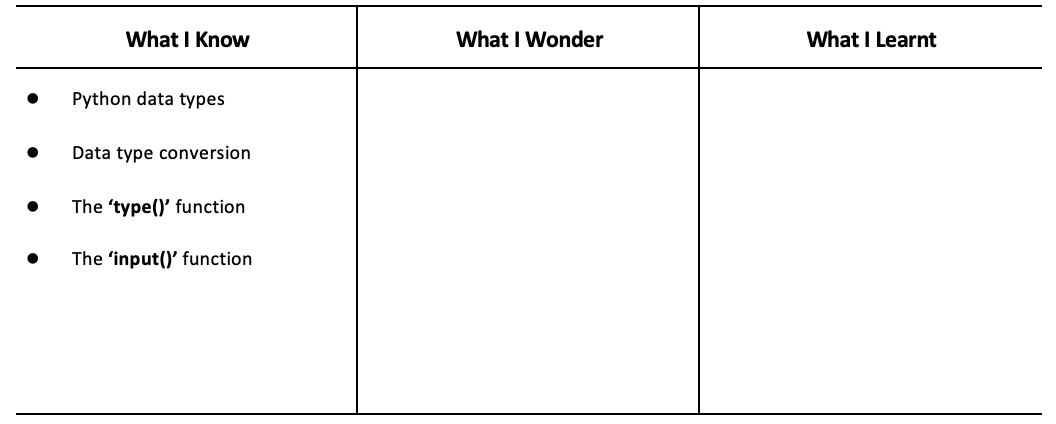
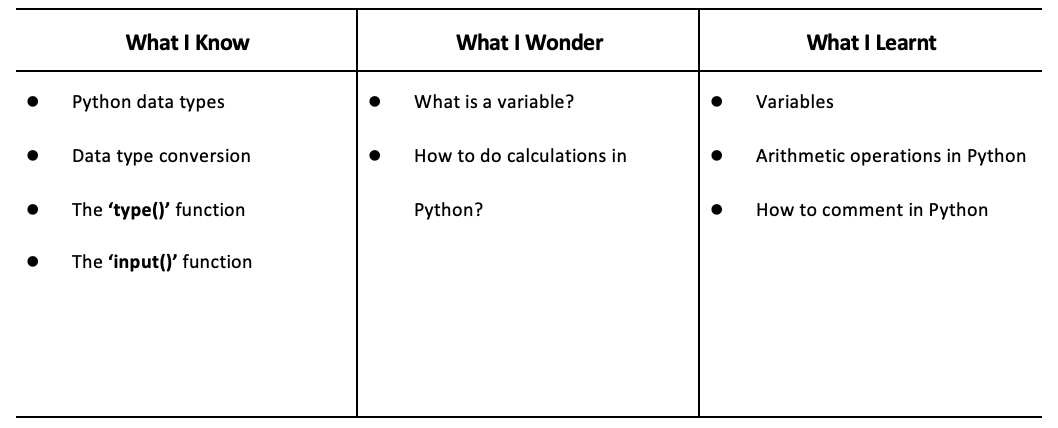
4. Have students fill out the ‘What I Know’ column of the K-W-L chart before the class.
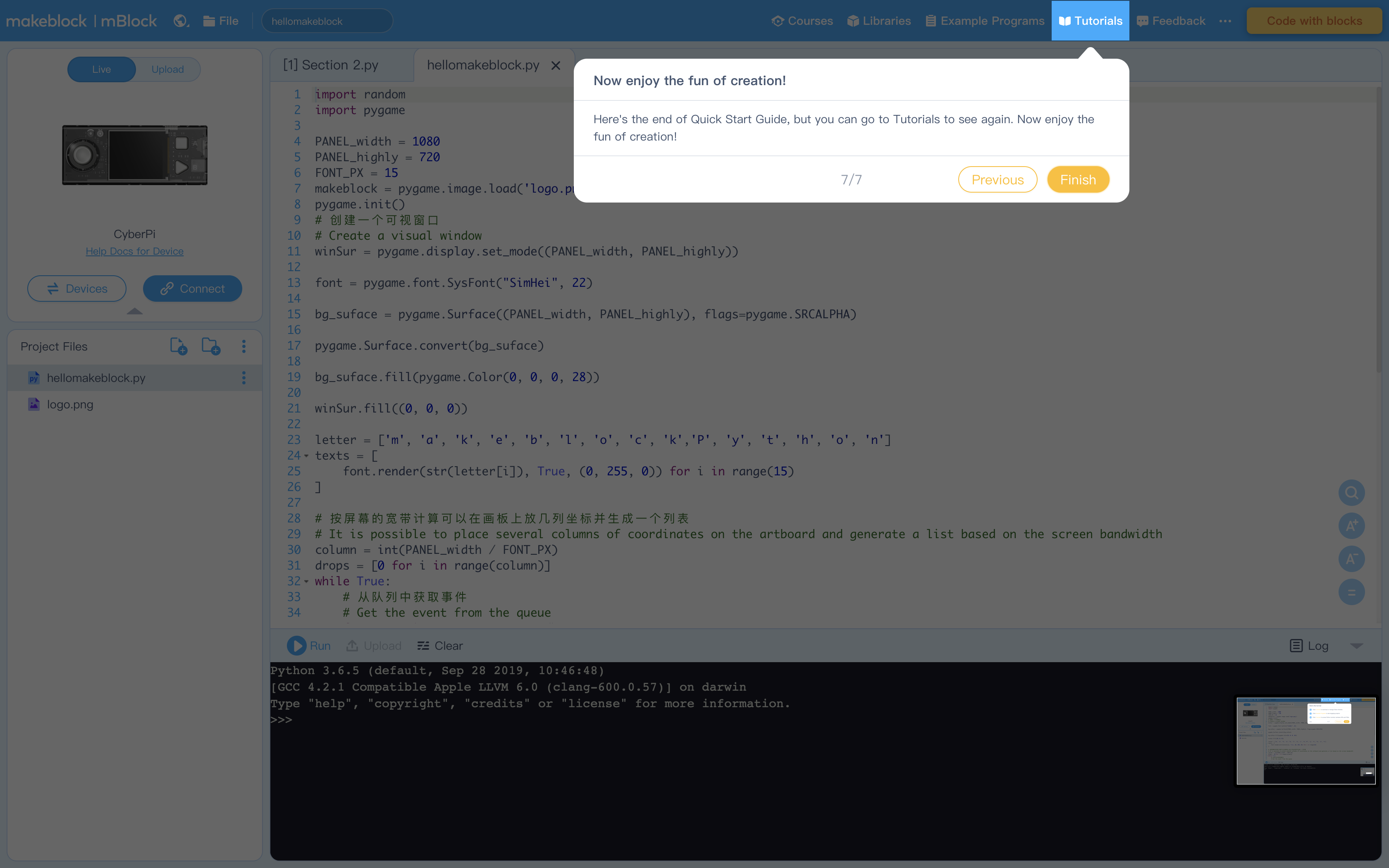
1. When you open the editor for the first time you will see these explanations mapping the interface. Encourage students to thoroughly read through it. Below are the screen captures if you ever need to reference them again.
Figure 1: To connect your CyperPi
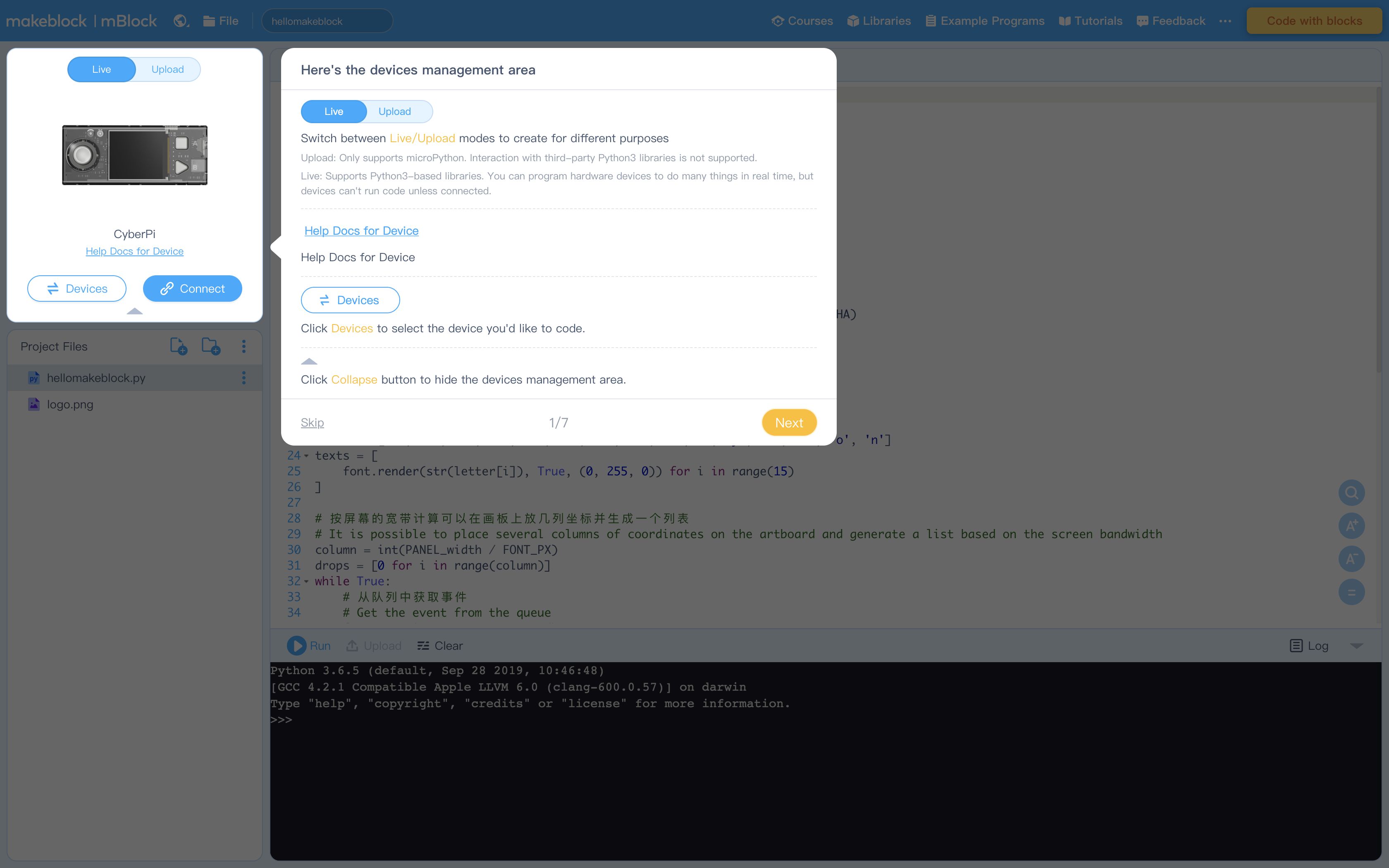
Figure 2: Creating Projects and Project files (see How to Create, Open, Import, or Export Project Files)
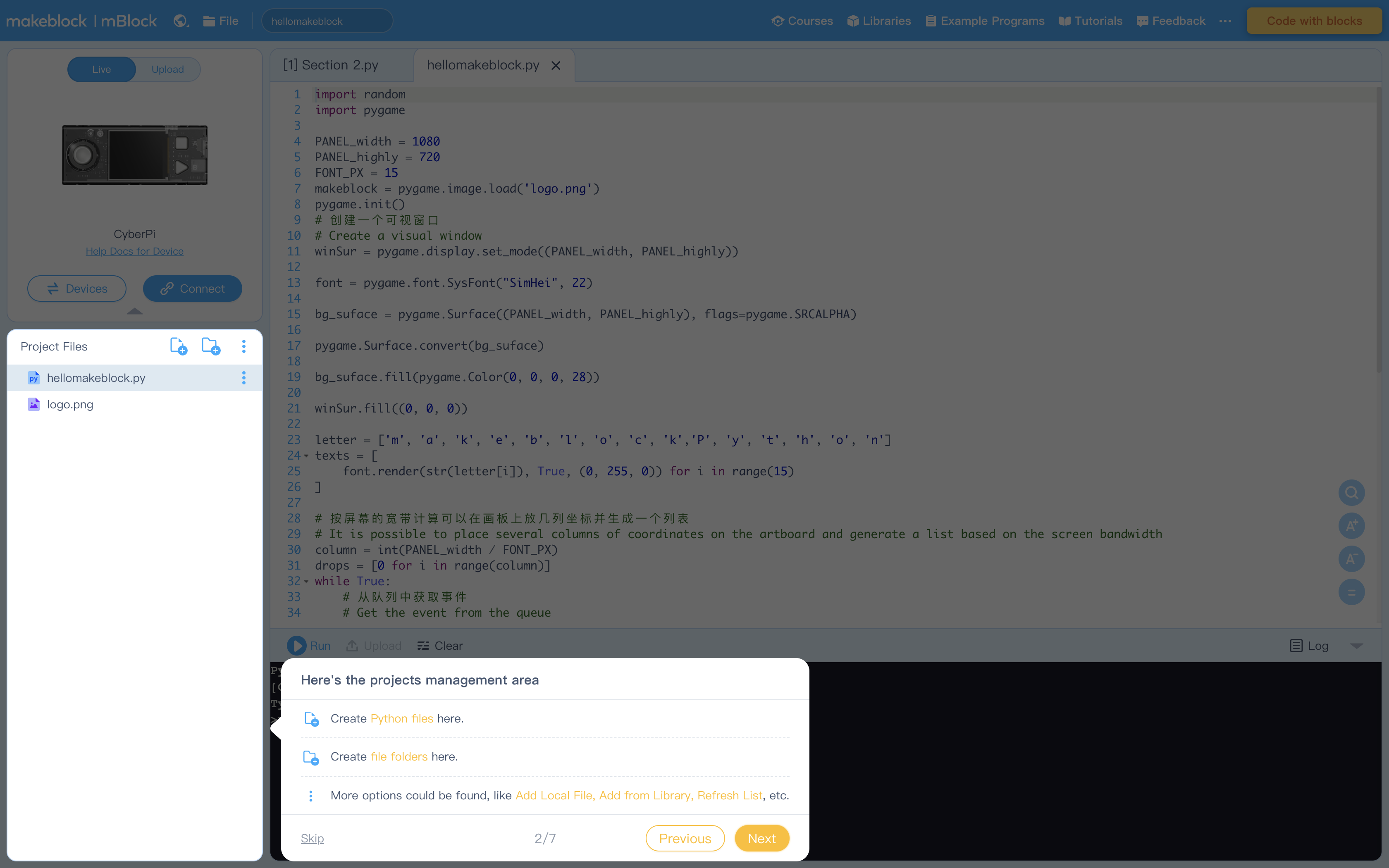
Figure 3: Editing Area
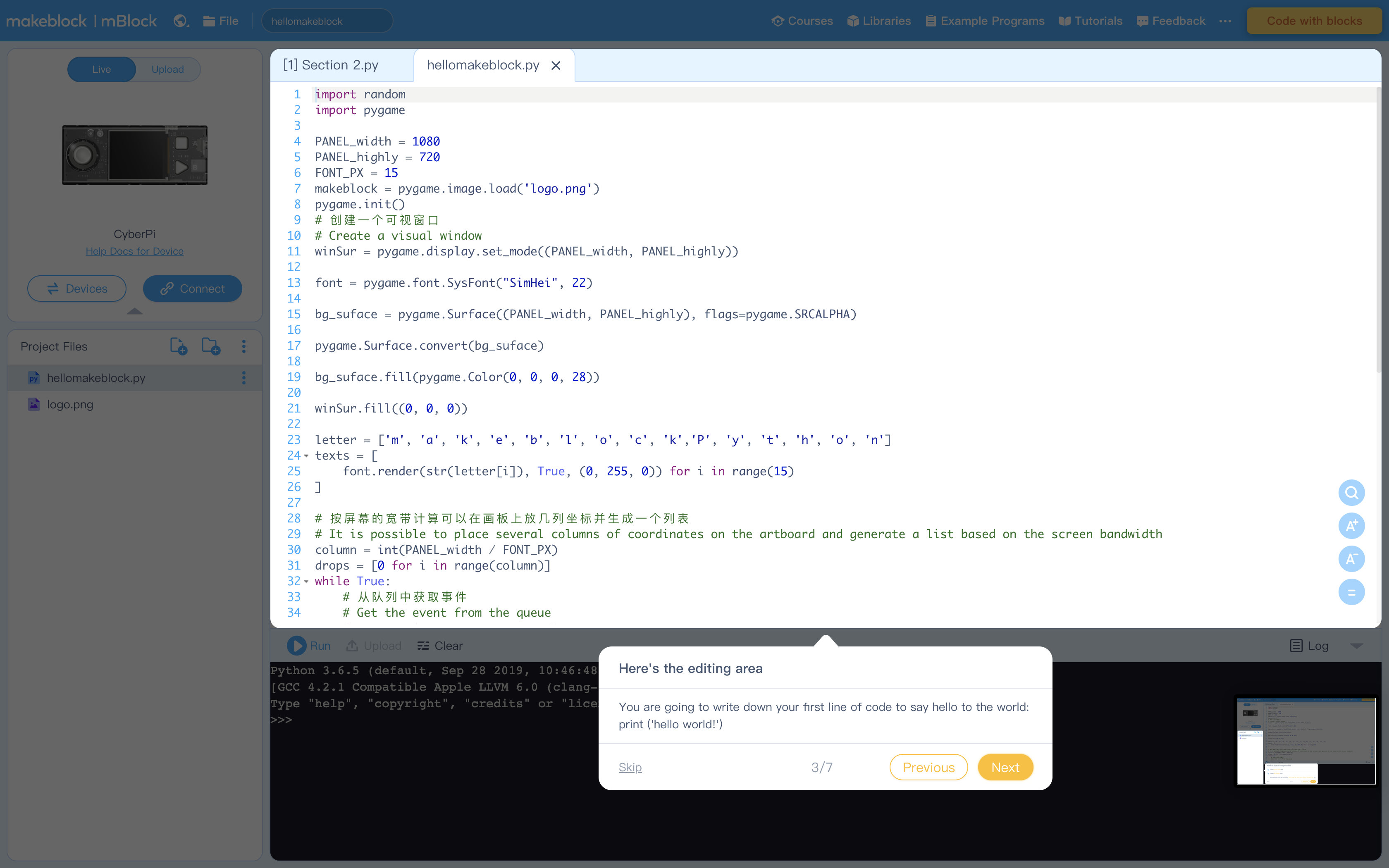
Figure 4: Console Commands to run code and more
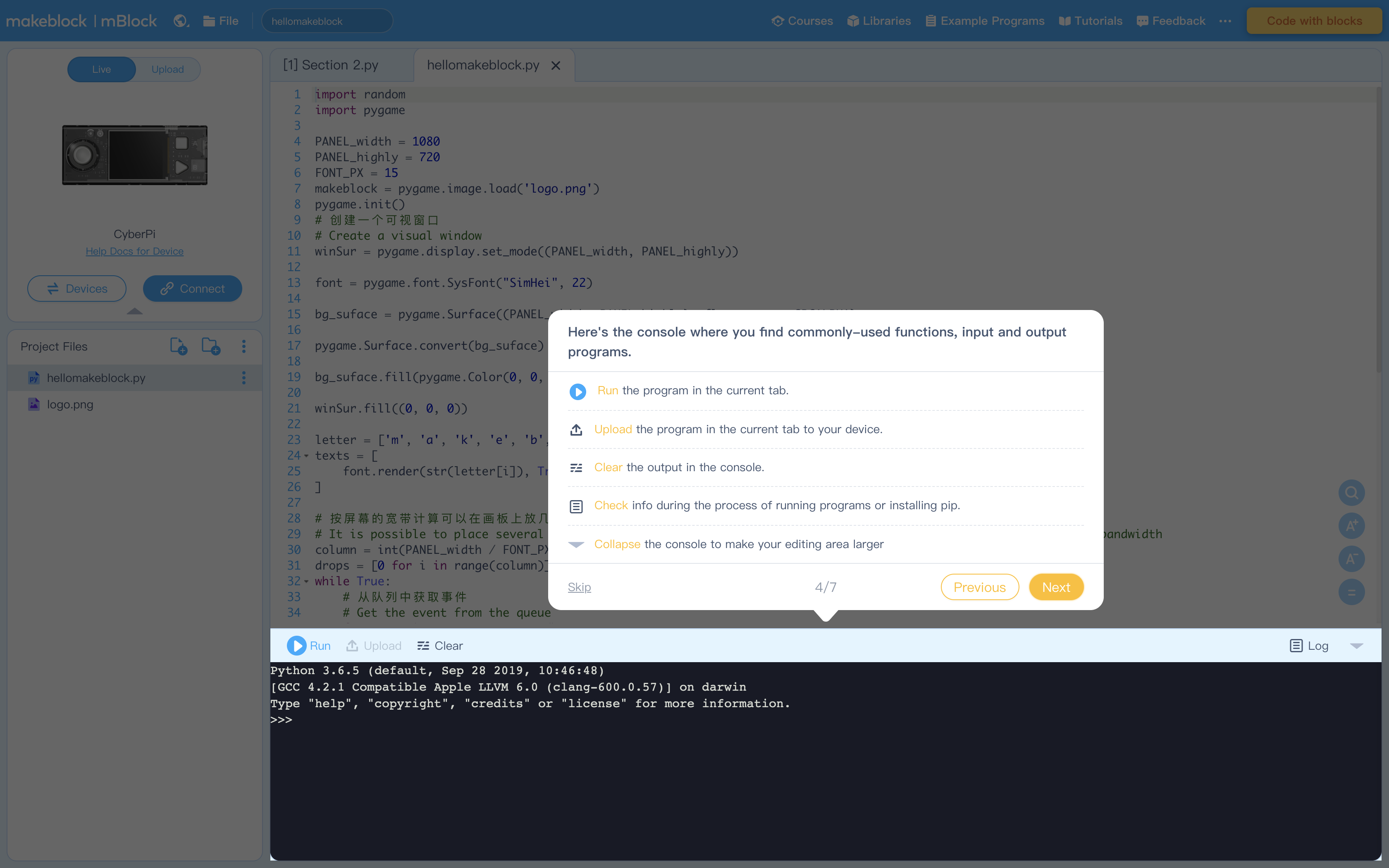
Figure 5: Terminal (Console) to display output from Editing Area
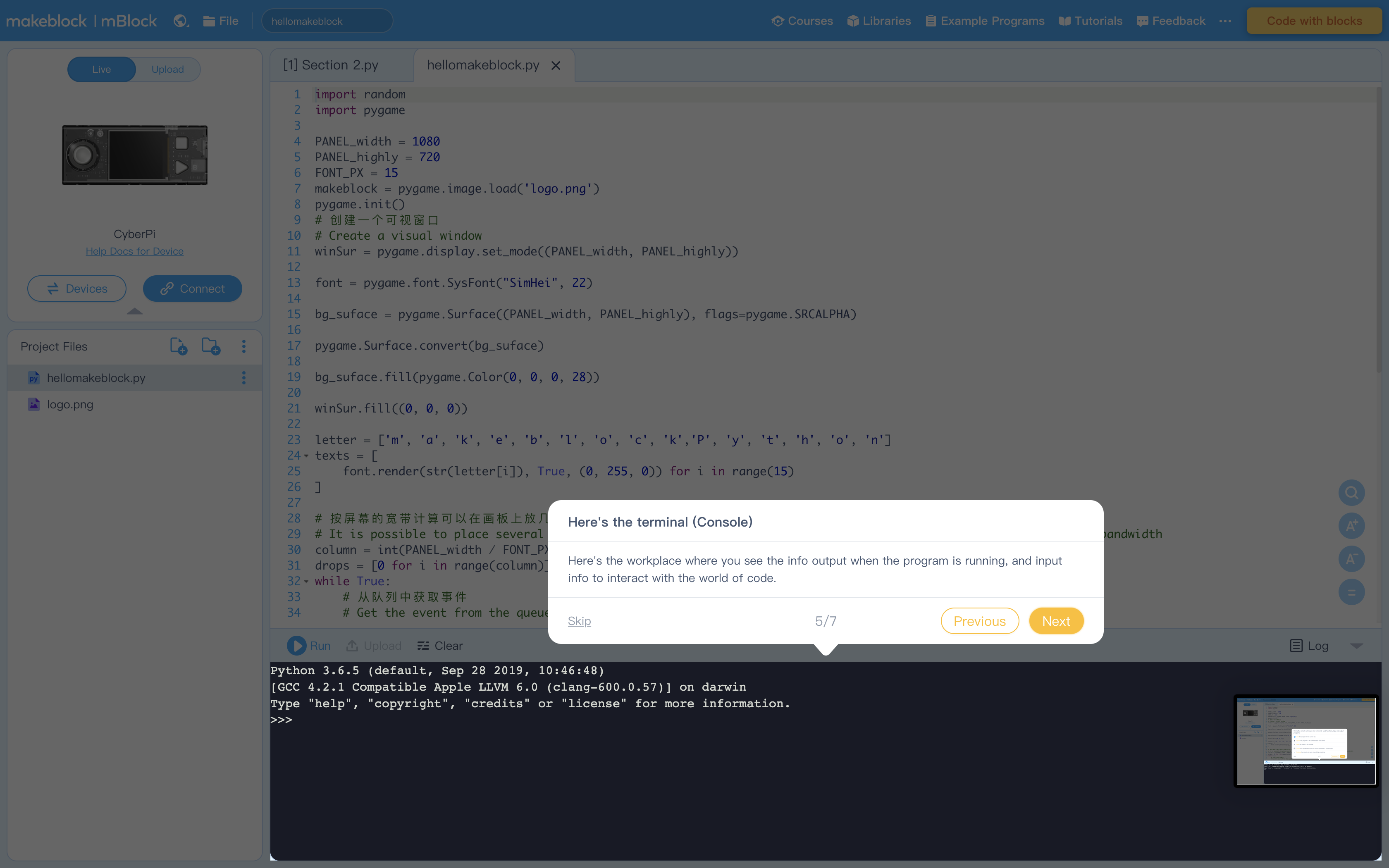
Figure 6: Libraries containing example program. Feel free to explore these at your leisure
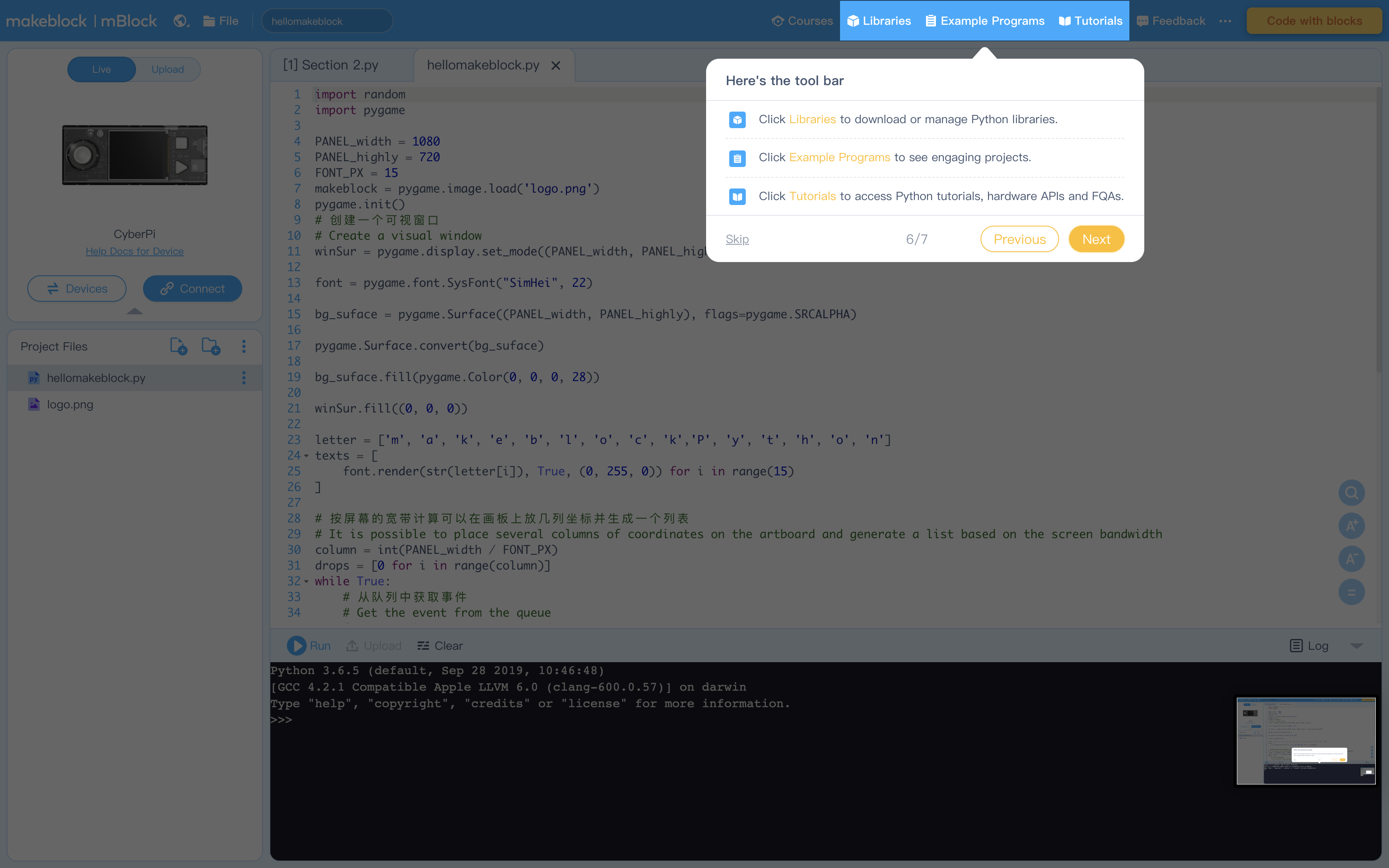
Figure 7: Click "Tutorials" to view these helpful instructions anytime
1. Start of by introducing Heron's Formula and the different variables used
Heron's Formula: Area = (s(s - a)(s - b)(s - c))^(1/2)
Where a, b, and c are the lengths of the sides of the triangle and s is the "semi - perimeter". The value of the semi-perimeter is equal to the length of all sides divided by two
This formula was developed by an ancient Greek mathematician Hero of Alexandria (10 AD – 70 AD).
1. Have students read "Activity 1" in the example program
2. Ask students to compile the program and complete "Activity 1" on the worksheet
3. Instruct them to input different values for the three lengths and record their findings in the chart provided
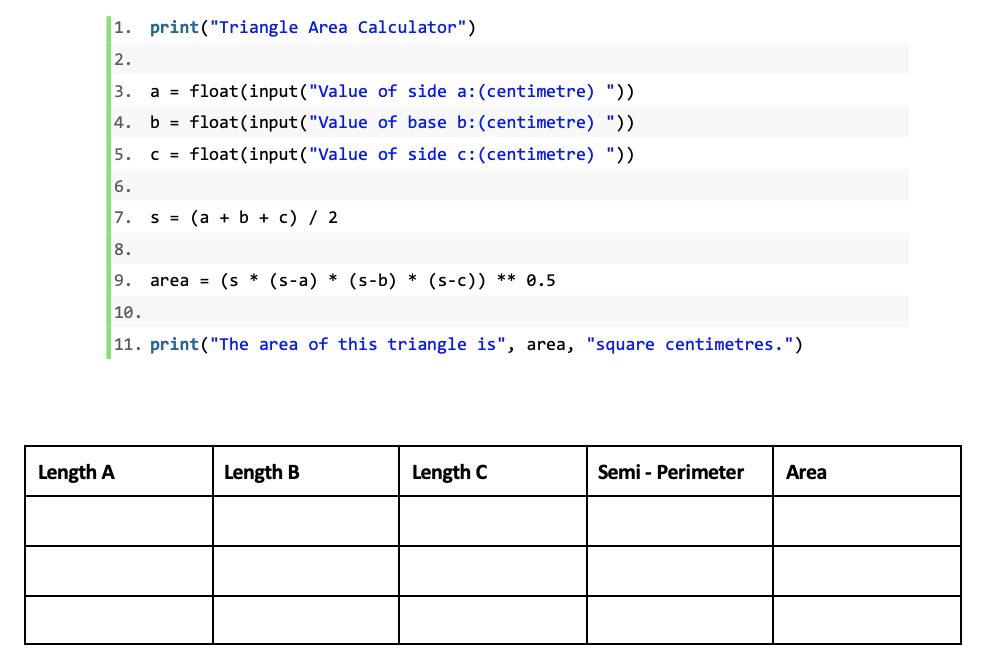
4. Ask students to find a parameter and answer the questions under their completed chart
5. Discuss with students the answers to the following questions:
‘Why is the ‘float()’ function used together with the ‘input()’ function?’
Note: This question is about the data type conversion learnt in the last lesson. The ‘input()’ function converts the input data into a string. To calculate the sum of the three sides, the input data should be converted into numeric data.
‘How can the program remember the values of three sides of a triangle?’
Note: This question is about the use of variables, which will be explained later. At this stage, students only need to identify the expression ‘a/b/c/s/area = …’ in association with their algebra knowledge.
‘How to calculate the semi-perimeter in Python?’
Note: Students need to point out the seventh line of code.
‘Look at the final line of the ‘print()’ statement. Do you notice anything different?’
Note: The ‘print()’ statement here contains both the string and the floating-point number printed in the same line. This example extends students’ understanding of the ‘print()’ function.
6. Next we will explain the use of variables in Python
Say: In the example program, we use ‘a’, ‘b’, ‘c’, ‘s’, and ‘area’ to represent the values of the three sides, the semi-perimeter, and the area of the triangle. These symbols are variables
Explain: A variable is a named location used to store data. ‘a’, ‘b’, ‘c’, ‘s’, and ‘area’ are the names of the variables
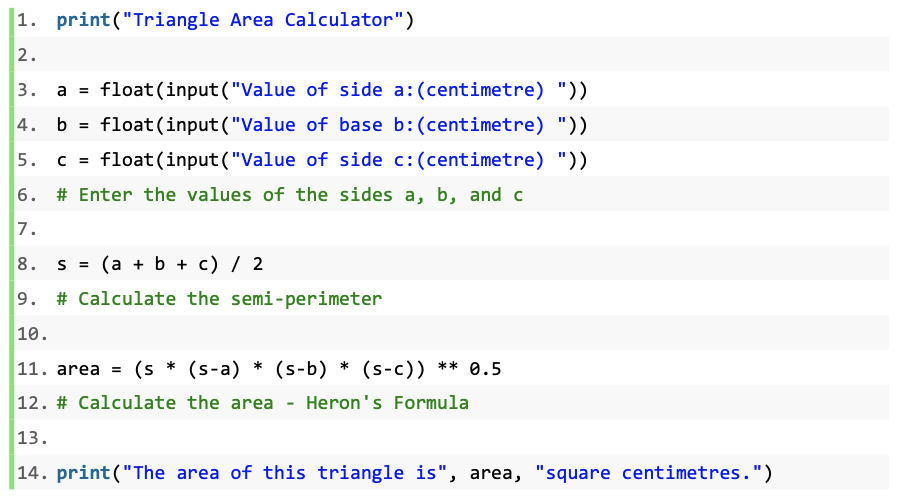
7. Instruct students to annotate or in software terms, "comment" the example program.
Say: We can comment on the program to describe each step of operating the Heron’s formula. Comments are notes that explain what each part of the program is doing so that people can understand the logic behind the program. Comments will not be run in Python as they are not part of the code.
Say: In Python, a comment starts with a hashtag (#). Comments should be clear, brief, and concise
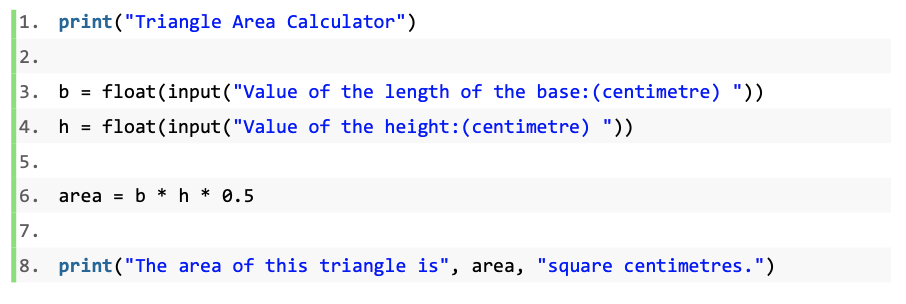
1. Create another Triangle Area Calculator that calculates the area of a triangle with the base and height.
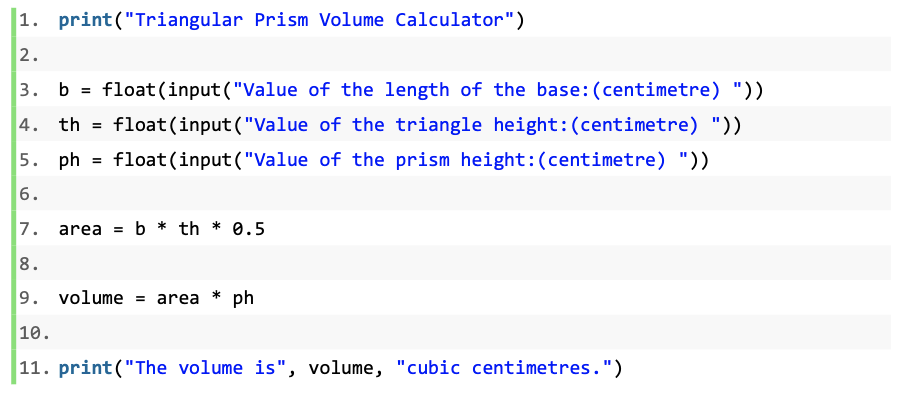
1. Based on the Triangle Area Calculator, create a Triangular Prism Volume Calculator.
Formula: Volume = area of base triangle * height
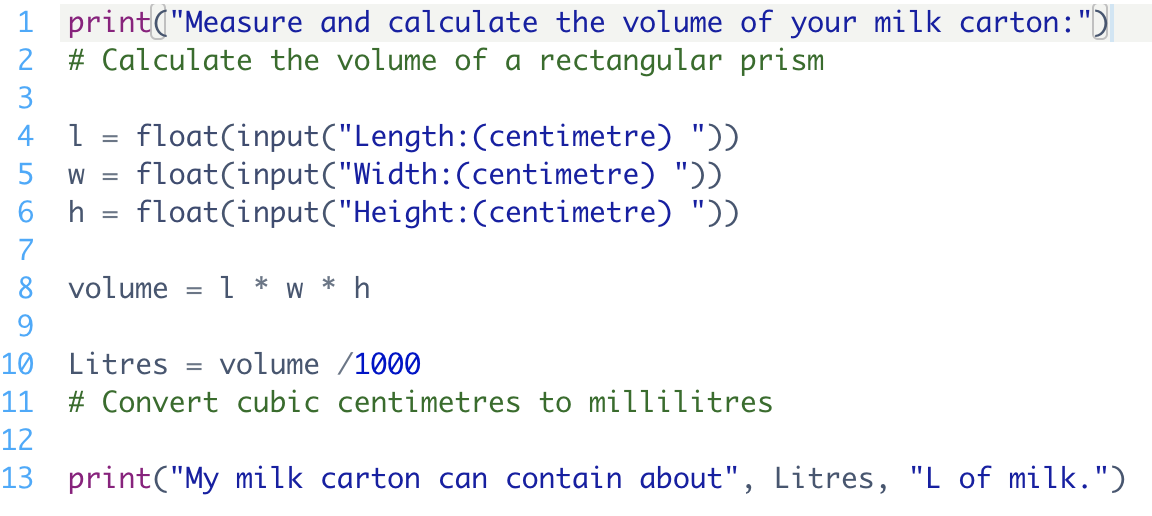
1. Create an application to calculate the volume of a milk carton
2. Convert your calculated volume from units of cubic centimetres to litres
Have students fill out the K-W-L chart
Remind students to always comment their code, regardless of the simplicity
1. Have students create a calculator application in Python that can calculate the perimeter and area of a learnt plane shape as well as the volume of a learnt prism or prism-like figure.
2. Have students explore other mathematically formulas taught in their math course and implement them in Python
1. Review the meaning and use of the variable.
2. Review the rules of writing comments in the mBlock Python editor.
3. Review the process of creating a calculator application in Python.
Algebra (Coding)
C2.1 use coding to demonstrate an understanding of algebraic concepts including variables, parameters, equations, and inequalities
C2.2 create code by decomposing situations into computational steps in order to represent mathematical concepts and relationships, and to solve problems
C2.3 read code to predict its outcome, and alter code to adjust constraints, parameters, and outcomes to represent a similar or new mathematical situation
B1: ICS20 Arithmetic Operations
B1.1 use correct terminology to describe programming concepts;
B1.2 describe the types of data that computers can process and store
B1.4 determine the expressions and instructions to use in a programming statement, taking into account the order of operations
B2: Writing Programs
B2.2 use variables, expressions, and assignment statements to store and manipulate numbers and text in a program
B3: Code Maintenance
B3.1 write clear and maintainable code using proper programming standards
B3.4 demonstrate the ability to validate a computer program using test cases.