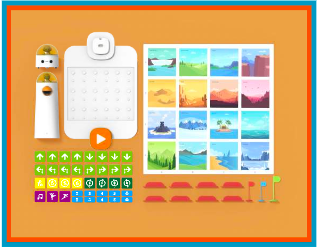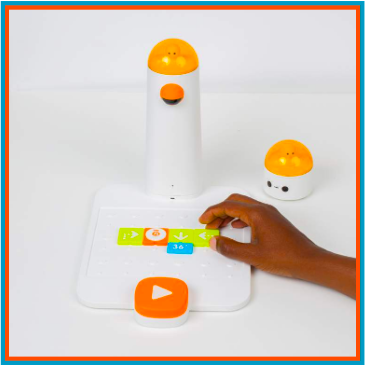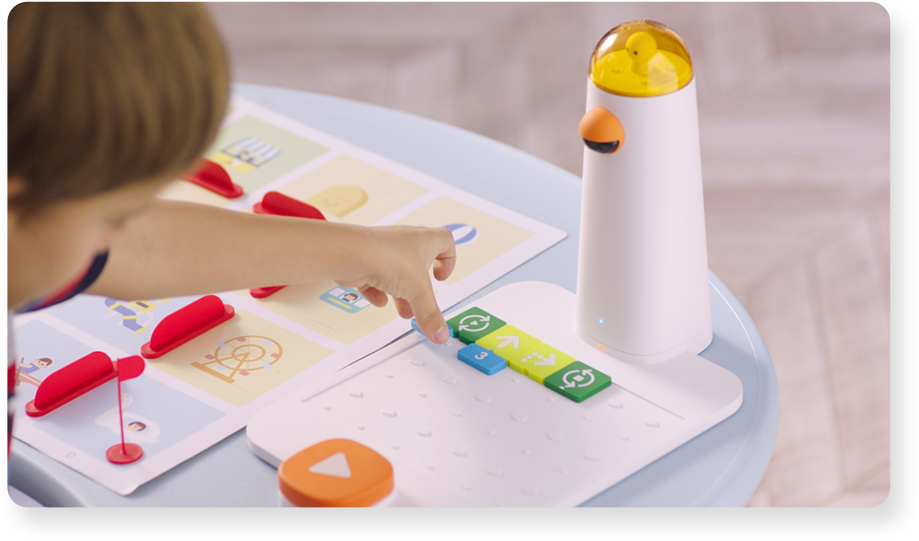
Description Children will learn and practice their coding skills by using Matatalab's Home Edition Coding Set. With the assistance of an adult or parent, this self-paced online course will guide your
Description In this lesson, students will understand the importance of using and creating a map, the importance of using a grid, and learn new ways to code their robot using advanced coding blocks. St
Description In this lesson, students will be able to explore their own creativity by using the artistic and musical aspects of the Matatalab sets. Students will program the MatataBot using the Artist
Description In this lesson, students will learn how to identify the musical staff and differentiate between different pitches. They will conclude the lesson by learning the different names of notes on
Description In this lesson, students will begin to learn about music notes and rhythm patterns which join together to create the language of music. Students will learn how to identify different types
Description Students will learn about the musical scale (solfege) and how to sing using it. They will also learn how to identify the Solfege pitches by working with Matatalab. Finally, they will learn
Description In this lesson, students will learn about the concept of intervals when talking about the space between two musical notes. Students will use this knowledge to code different intervals usin
Description Students will learn how to use Musical Dictation in order to hear two notes and write what interval is being heard. They will code their MatataBot to play musical notes in order to train t
Description Students will learn how to use pitch blocks and other blocks included in the Matatalab Coding Set and add-ons. Students will use this information to code different musical notes and work t
Description Sudents will use all the information they’ve learned about music and Matatalab to create intervals with the Matatalab music blocks. Objectives Identify intervals on the staff Identify how
Description Students will learn how to compose their own piece of music using Matatalab music blocks. Objectives Students will compose an original melody with lyrics Write the Matatalab pitches on the
Description Students will be introduced to Matatalab Musical Coding blocks, utilize these coding blocks with the Matatalab Coding Set to successfully complete the Music Challenge Card, and then create
Description In this lesson students will work together to create a coordinate plane or a grid and then create an imaginative story using the Matatalab Coding Set. They will choose or create a themed m
Description In this lesson, students will program the MatataBot to draw various geometric shapes. Students will create geometric shapes which will be used as stars in a sky landscape and flowers in a
Description In this lesson, students will choose their own subject or topic for their board game. They will create their board game to have a start, finish, rules, a box, and moving pieces. They will
Description In this lesson, students will code Matatabot to draw various geometric shapes using instructions on the six Matatalab Artist Warm-Up Cards. Students will extend their understanding of codi
Description In this lesson, students will alter the coding for a triangle to create a larger triangle which will become the cone of an ice-cream cone. Students will then decorate the top to look like
Description In this lesson, students will create and construct a mobile comprised of geometric shapes. Students will code Matatabot to draw each of the six basic shapes and will be challenged to code
Description In this lesson, students will create a sailboat using the Matatalab Art Add-On Set. Students will use the basic triangle shape coded in the Draw 2 Warm-Up Card for the sails. They will the
Description In this lesson, students will learn to code and manipulate MatataBot in order to create a series of Maltese cross shapes. Students will overlap these crosses, push a hole through them, and
Description In this lesson, each student will use the sunburst shape of the Matatalab Artist Add-On set in order to create shapes for leaves of his or her own family tree. Students will utilize the ba
Description In this lesson, students will design and code various shapes utilizing the Matatalab Coding Set and the Artist Add-On Set. Students will cut out the shapes and construct a robot. Students
Description In this lesson, students will code and create a round sunburst, cut out a circle in the centre, overlay that shape onto a larger circle, and create dreamcatchers by looping string or yarn
Description In this lesson, students will code and create various shapes that are needed to attach to strings and wooden sticks or dowels in order to create a marionette. Students will then decorate a
Description In this lesson, students will use the Matatalab Coding Set along with the Matatalab Artist Add-On Set. Students will code a design that can be used to draw a fish and alter the design to
Description In this lesson, students will be challenged to use their knowledge of interior angles of various polygons and code MatataBot to draw geometric nets. Students will create 3D geometric shape
Description In this lesson, students will code and manipulate MatataBot in order to create block letters to form a one word message. Students will plan out specific coding, number, and angle blocks t